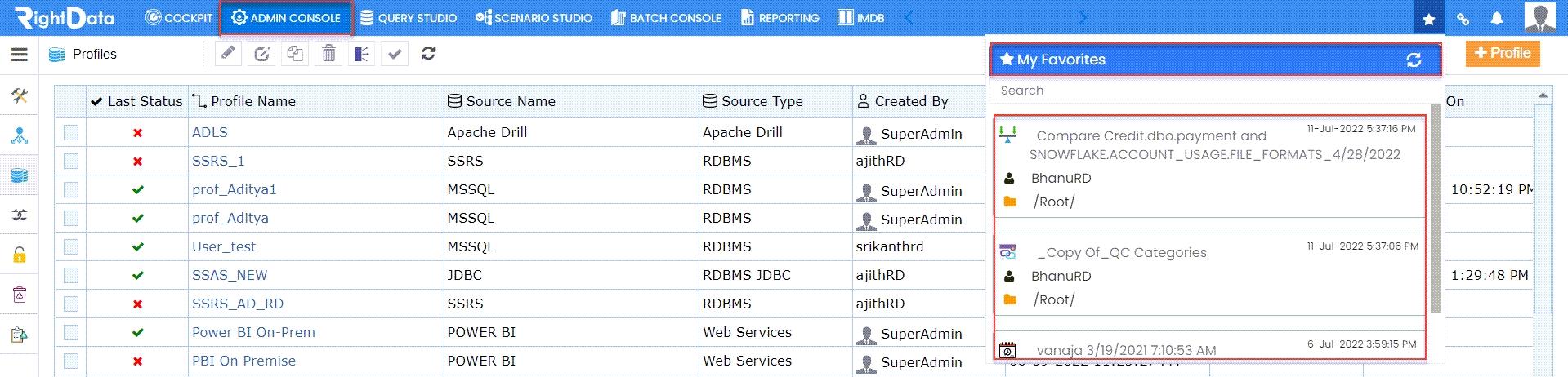
Previously the Bookmark icons were present in the individual explorers (Query, Scenario, and Job) but now they are moved to the Navigation bar for easy bookmark access.
To learn more, let us walk through the below procedure:
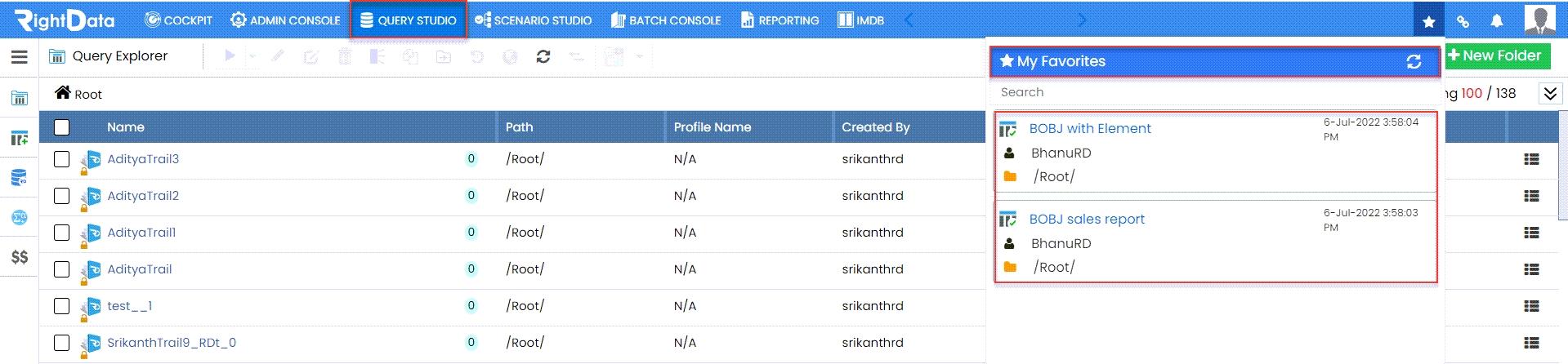
- Click the ‘QUERY STUDIO’ module.
- Click the ‘Bookmarks’ button from the navigation bar.
- This action displays ‘My Favourites’ pop-up window displaying all the Queries and Query Chains bookmarked items.
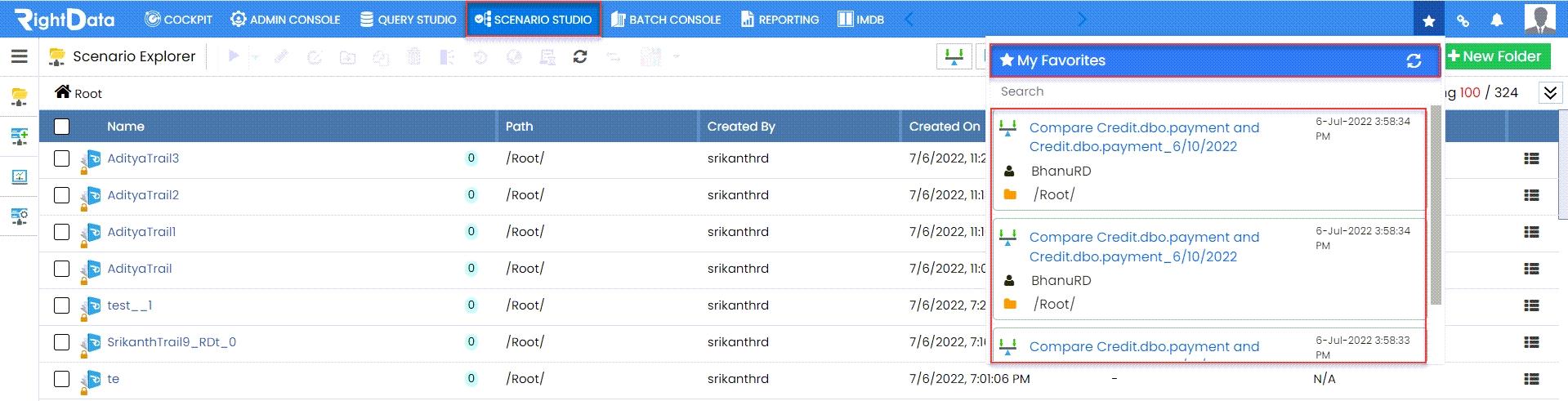
- Click the ‘SCENARIO STUDIO’ module.
- Click the ‘Bookmarks’ button from the navigation bar.
- This action displays ‘My Favourites’ pop-up window displaying all the bookmarked scenarios.
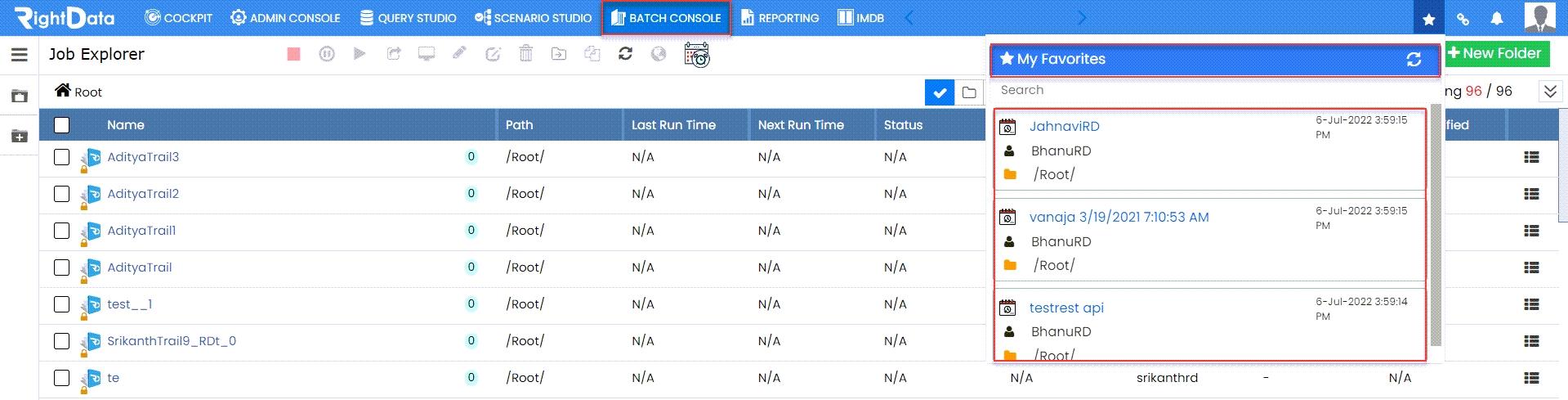
- Click the ‘BATCH CONSOLE’ module.
- Click the ‘Bookmarks’ button from the navigation bar.
- This action displays ‘My Favourites’ pop-up window displaying all the bookmarked jobs.
- Click the ‘ADMIN CONSOLE’ module.
- Click the ‘Bookmarks’ button from the navigation bar.
- This action displays ‘My Favourites’ pop-up window displaying all the bookmarked Queries, Query Chains, all scenarios, and jobs.
Note: Similarly, if the user clicks the Bookmark icon on the navigation bar of COCKPIT, REPORTING or IMDB module, the user views ‘My Favourites’ pop-up window displaying all the bookmarked Queries, Query Chains, all scenarios, and jobs.