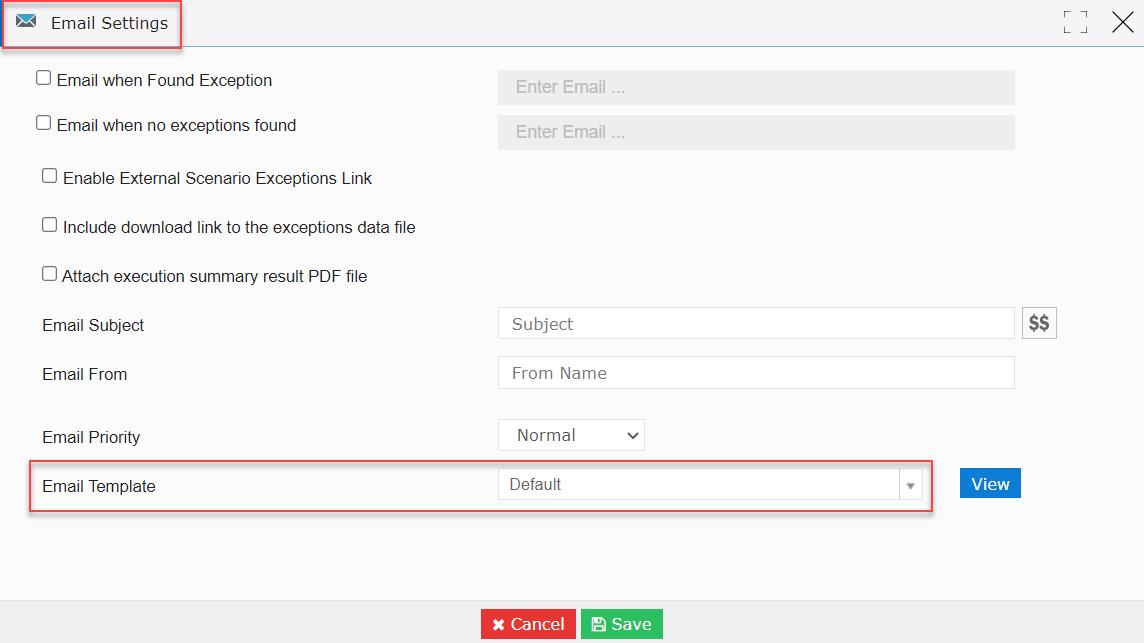
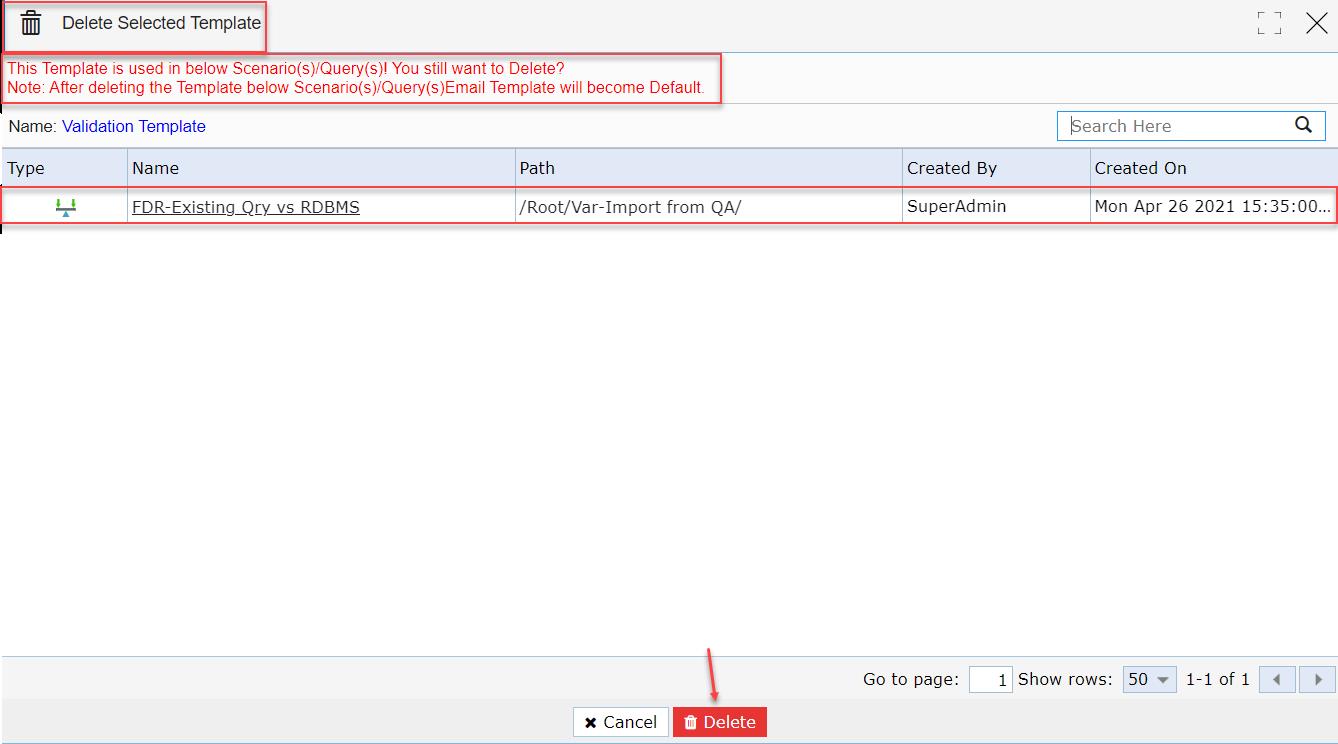
- If the user uses an Email Template in any Query Chain, FDR, TDR, or Validation, then the where-used list details of that particular Email Template are visible when the user is about to delete it from the ‘Custom Email Template’ session page.
- If the user deletes a specific Email Template after using it in any Query Chain, FDR, TDR, or Validation, then the user notices the ‘Email Template’ drop-down list is set to ‘Default’ within its ‘Email Settings’ widget.
First Enhancement:
Note: Click here for the complete information on how to create an Email Template from the ‘Custom Email Template’ session page.
- Click the ‘SCENARIO STUDIO’ module.
- Let’s select an FDR scenario (FDR-Existing Qry vs RDBMS).
- Click the ‘Edit’ button.

- The user is navigated to the FDR scenario (FDR-Existing Qry vs RDBMS) session page in create and edit mode.
Note: Click here for the complete information on how to create an FDR scenario.
- Let’s click the ‘Email Settings’ widget.
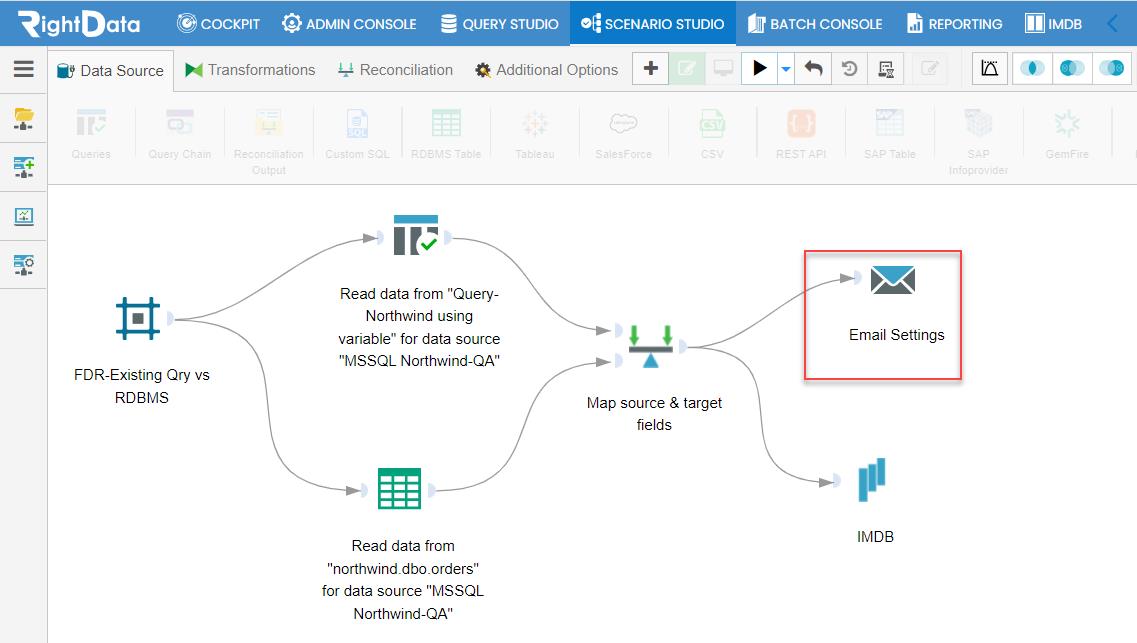
- An ‘Email Settings’ pop-up window is displayed.
- Let’s select ‘Validation Template’ from the ‘Email Template’ drop-down list.
- Click the ‘Save’ button.
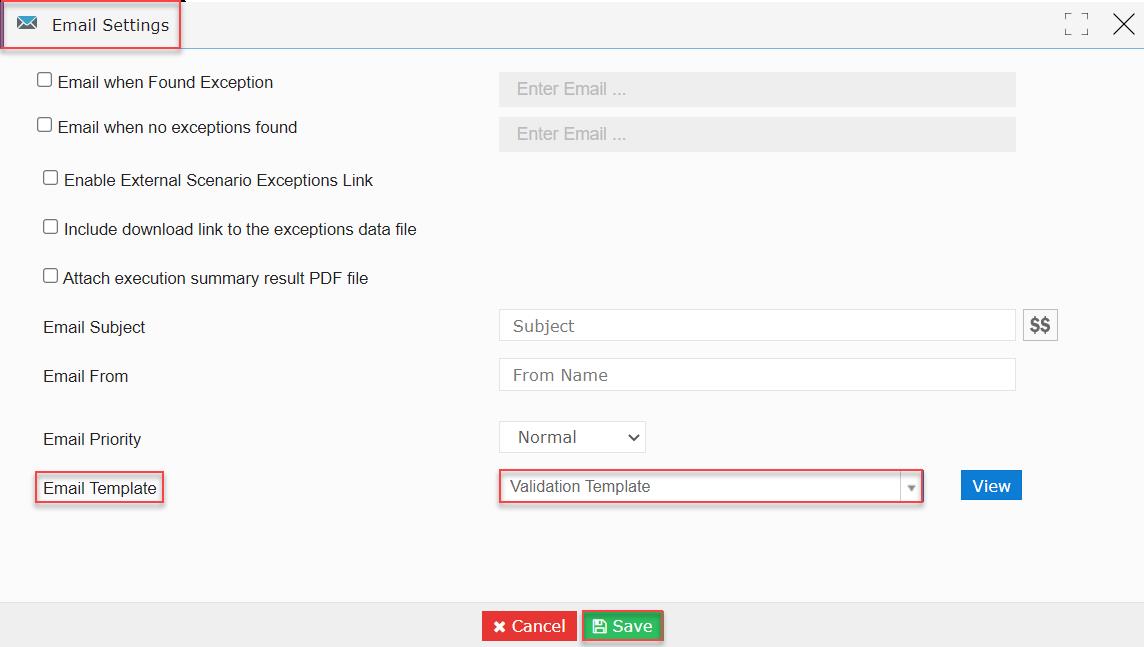
- The ‘Email Settings’ widget is closed saving the widget data.
- The user is navigated to the FDR (FDR-Existing Qry vs RDBMS) session page.
- Let’s click the ADMIN CONSOLE’ module.
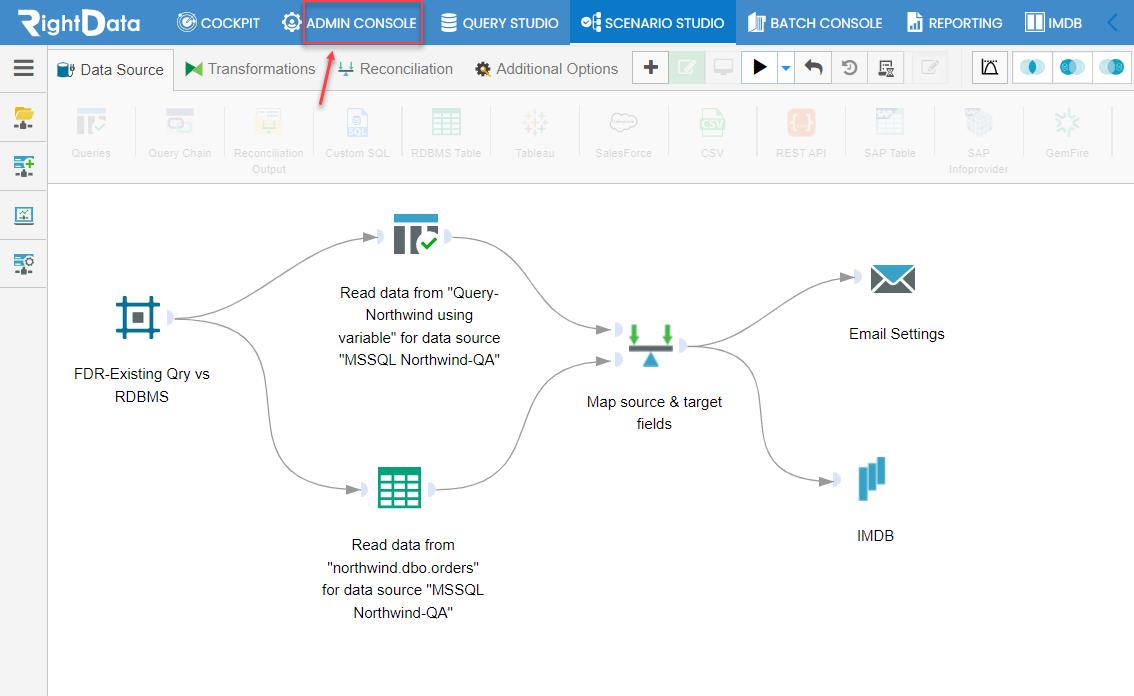
- The user is navigated to the ‘Profiles’ session page.
- Hover and click the ‘System Preferences’ snippet from the left pane options.

- The user is navigated to the ‘Preferences’ session page.
- Click the ‘Custom Email Template’ option.
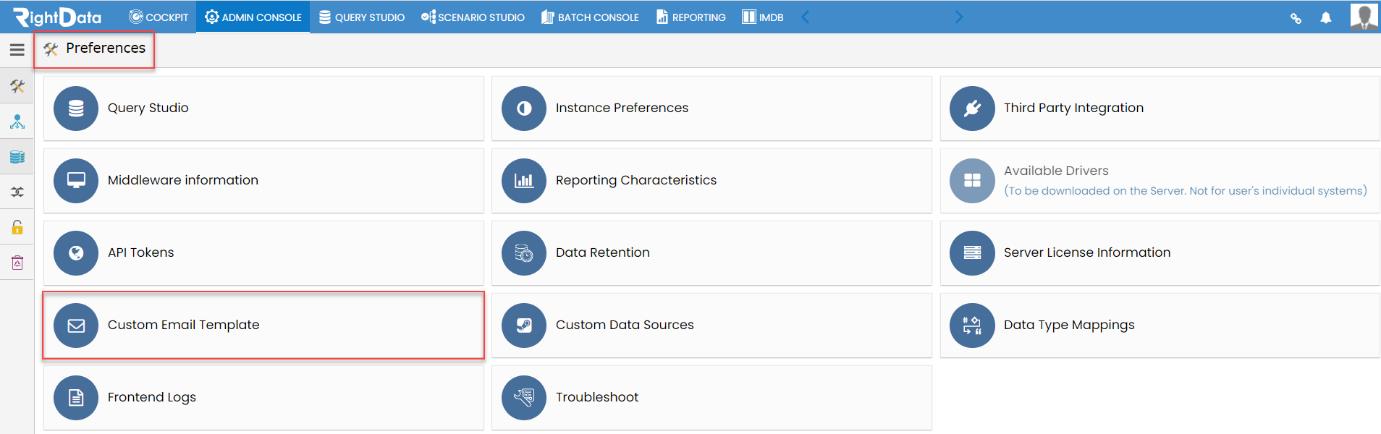
- The user is navigated to the ‘Custom Email Template’ session page.
- Click on the ‘Delete’ button of ‘Validation Template’.

- A ‘Delete Selected Template’ pop-up window is displayed.
- The user can view a notification that is highlighted in red color in the below screenshot.
- The user also notices about the FDR scenario (FDR-Existing Qry vs RDBMS) that used ‘Validation Template’ which is a new enhancement.
- Now, let’s click the ‘Delete’ button.
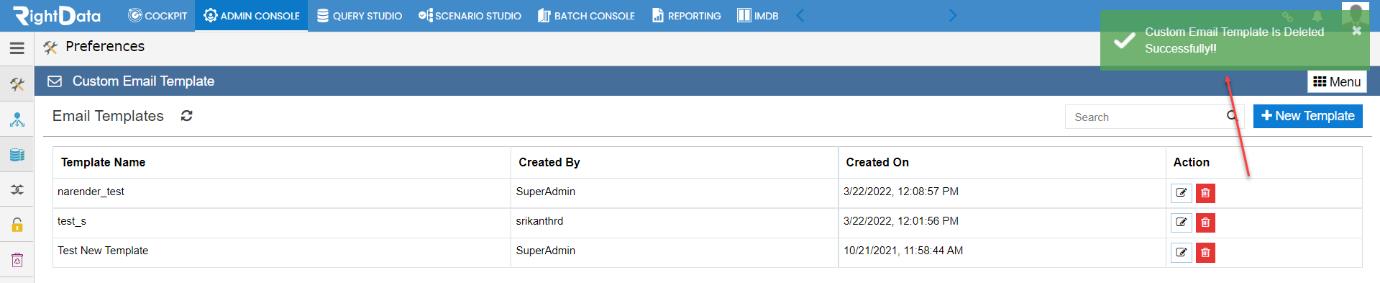
- A toaster message ‘Custom Email Template is Deleted Successfully’ is displayed.
Second Enhancement:
- Click the ‘SCENARIO STUDIO’ module.
- Let’s select and checkbox the same FDR scenario (FDR-Existing Qry vs RDBMS).
- Click the ‘Edit’ button.

- The user is navigated to the FDR scenario (FDR-Existing Qry vs RDBMS) session page in create and edit mode.
- Let’s click the ‘Email Settings’ widget.
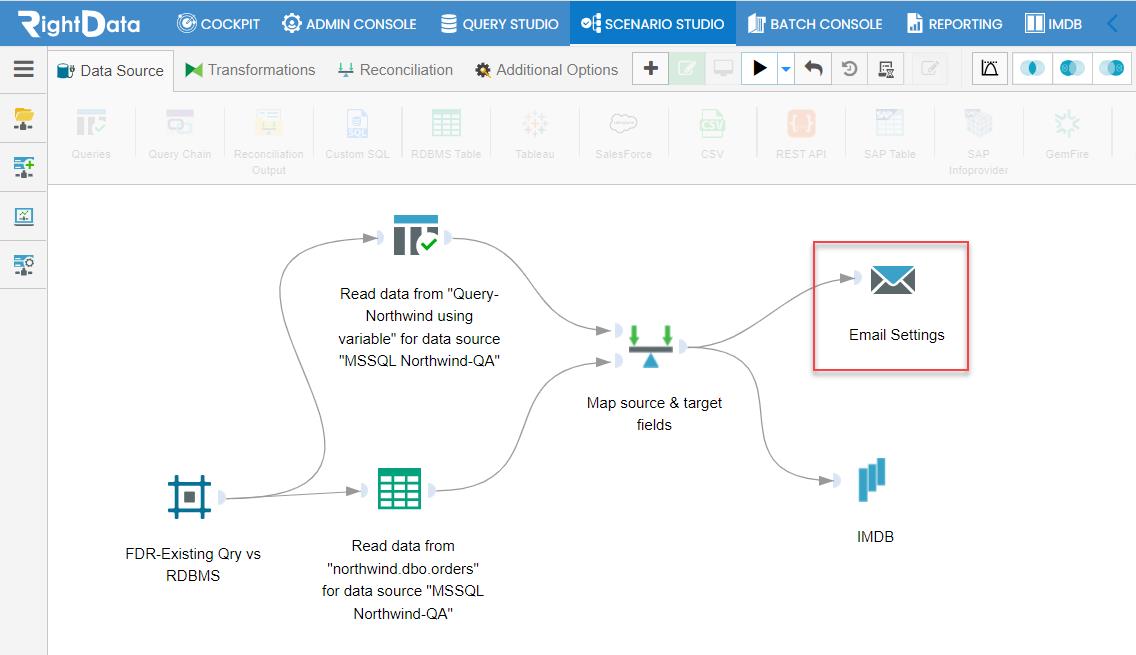
- An ‘Email Settings’ pop-up window is displayed.
- The ‘Email Template’ drop-down list selects the ‘Default’ template.
Note: It is clear from the first enhancement that the user deleted the ‘Validation Template’ used in the FDR scenario (FDR-Existing Qry vs RDBMS) from the ‘Custom Email Template’ session page. As a result, the FDR scenario (FDR-Existing Qry vs RDBMS) displayed the ‘Default’ Email Template in the ‘Email Settings’ widget.