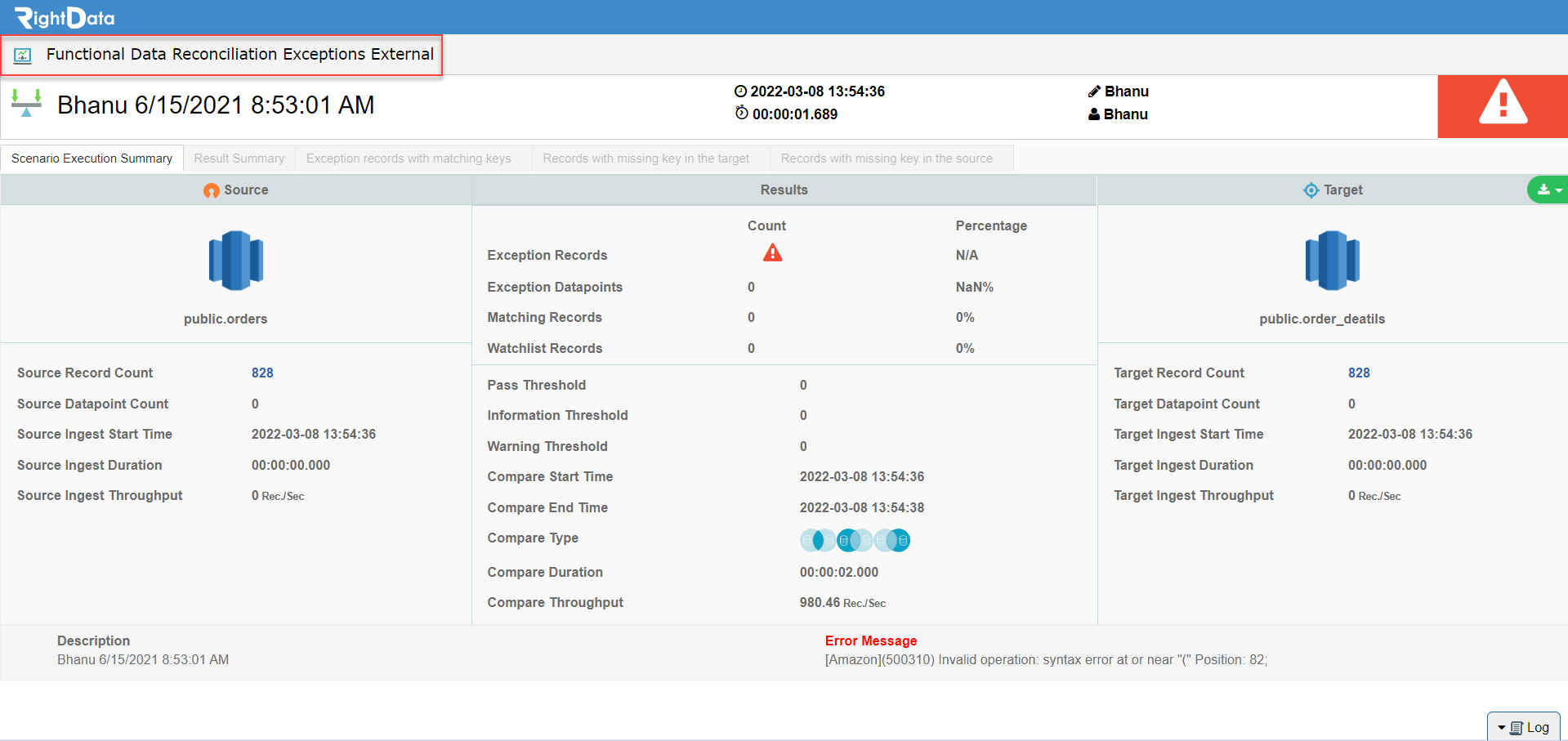
From 2021.09 build, users can receive external FDR scenario exceptions result link to a specified email address to view it outside the console. However, users must ensure that no modifications can be made through the link that navigates outside the console and is strictly used for viewing exceptions result only. If users wish to make any modifications, then they must login to the console.
To learn more, let us walk through the below procedure:
- Click the ‘SCENARIO STUDIO’ module.
- Open any sample FDR Scenario.
- Let’s search with ‘bhanu 6/15/2021’ FDR Scenario.

- Select and checkbox ‘bhanu 6/15/2021 8:53:01 AM’.
- Click the ‘Edit’ button.

- The user is navigated to that particular FDR Scenario (bhanu 6/15/2021 8:53:01 AM) in create and edit mode.
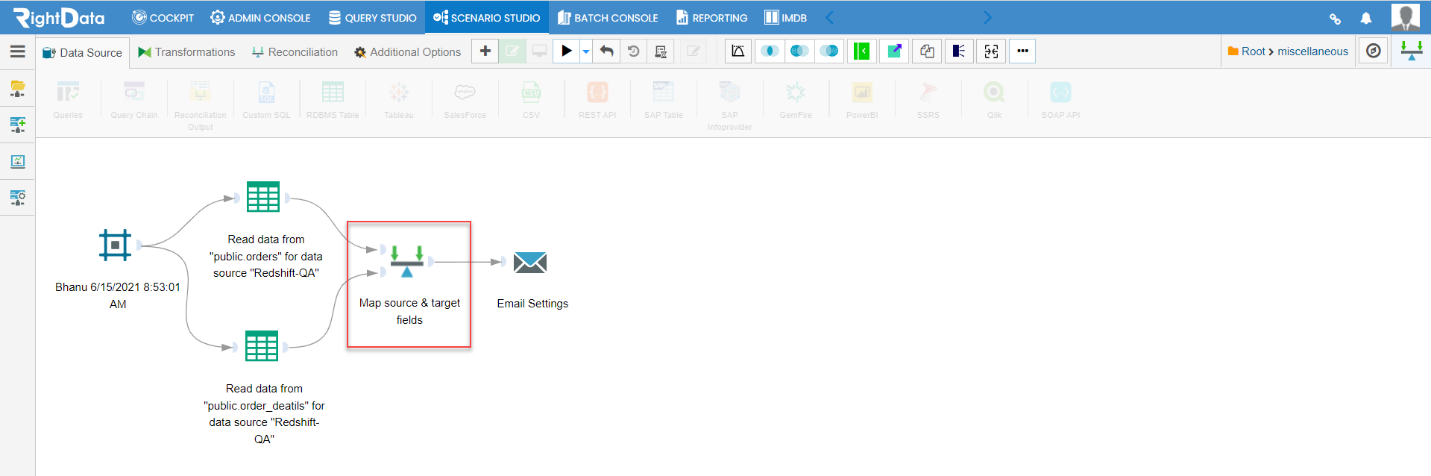
- Click the ‘Map source & target fields’ widget.
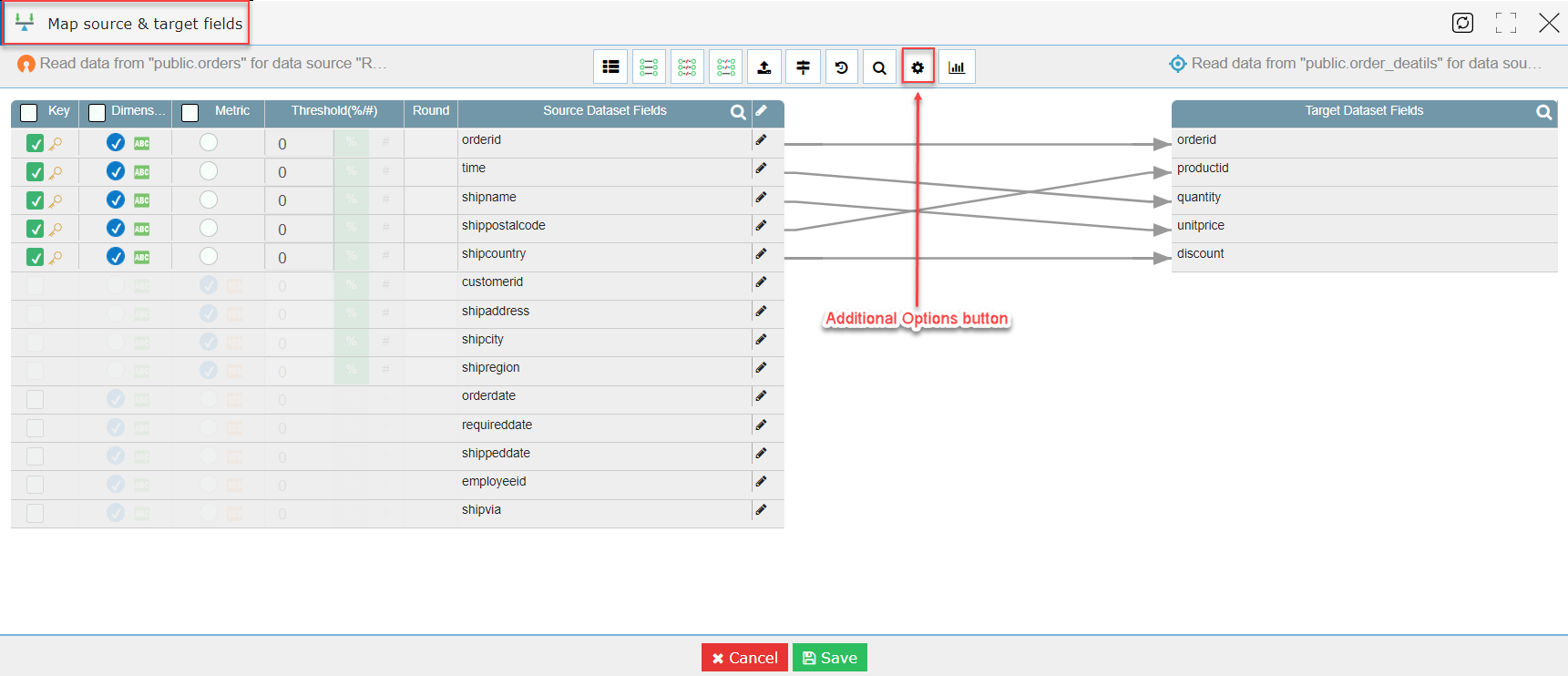
- A ‘Map source & target fields’ pop-up window is displayed.
- Click the ‘Additional Options’ button.
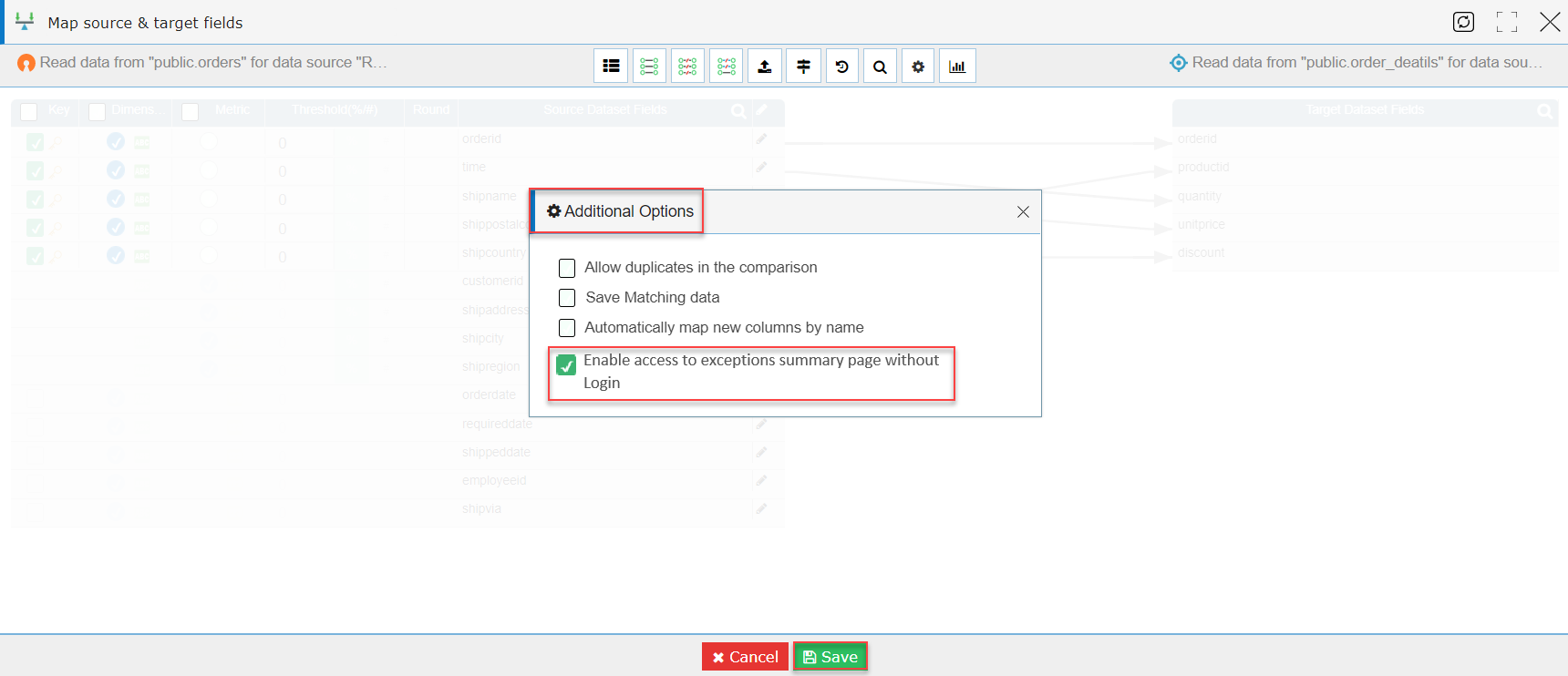
- An ‘Additional Options’ pop-up window is displayed.
- Let’s select and checkbox the option ‘Enable access to external summary page without Login.’
- Click the ‘Save’ button.
- The ‘Map source & target fields’ widget is closed saving the data.
- The user is navigated to the FDR scenario session page.
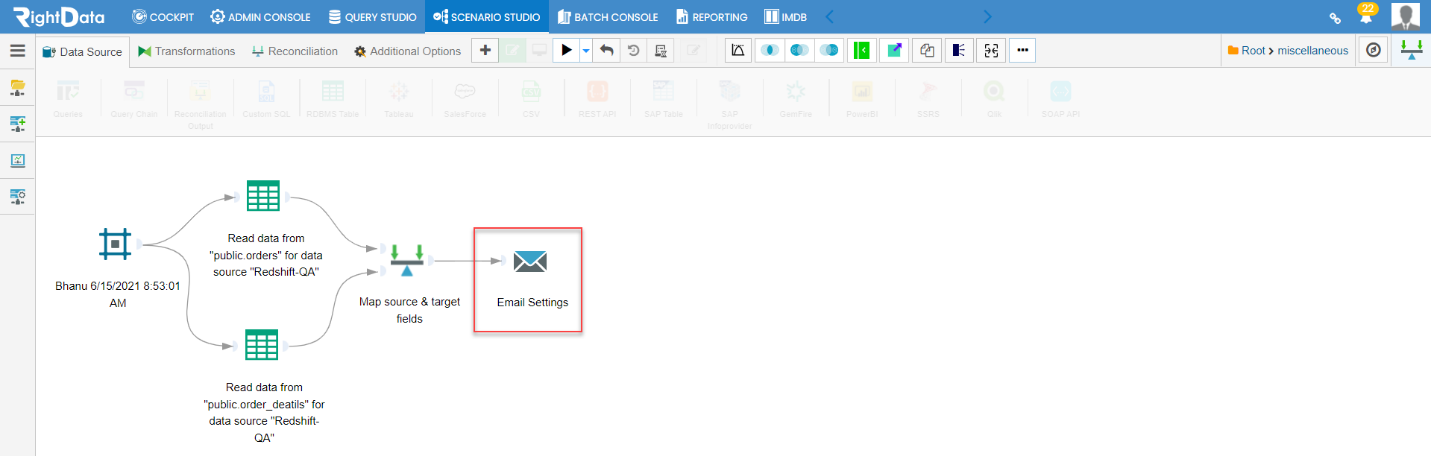
- Click the ‘Email Settings’ widget.
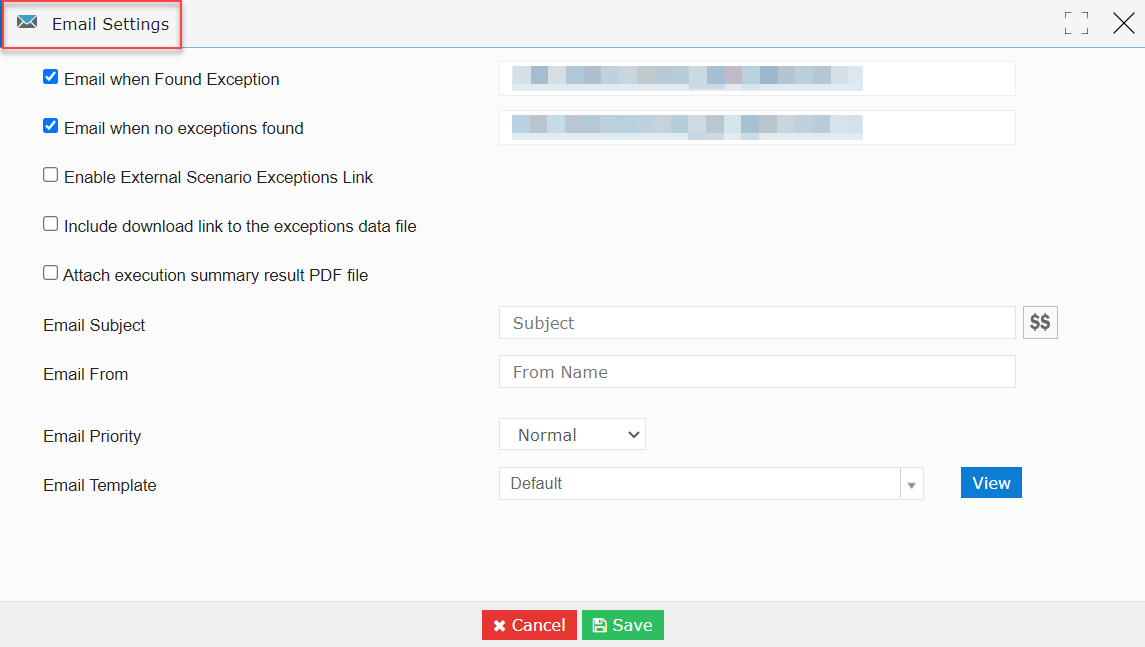
- An ‘Email Settings’ pop-up window is displayed.
Note: By default, ‘Email when Found Exception’ and ‘Email when no exceptions found’ options are check boxed.
Note: The Emails are greyed due to confidential data.
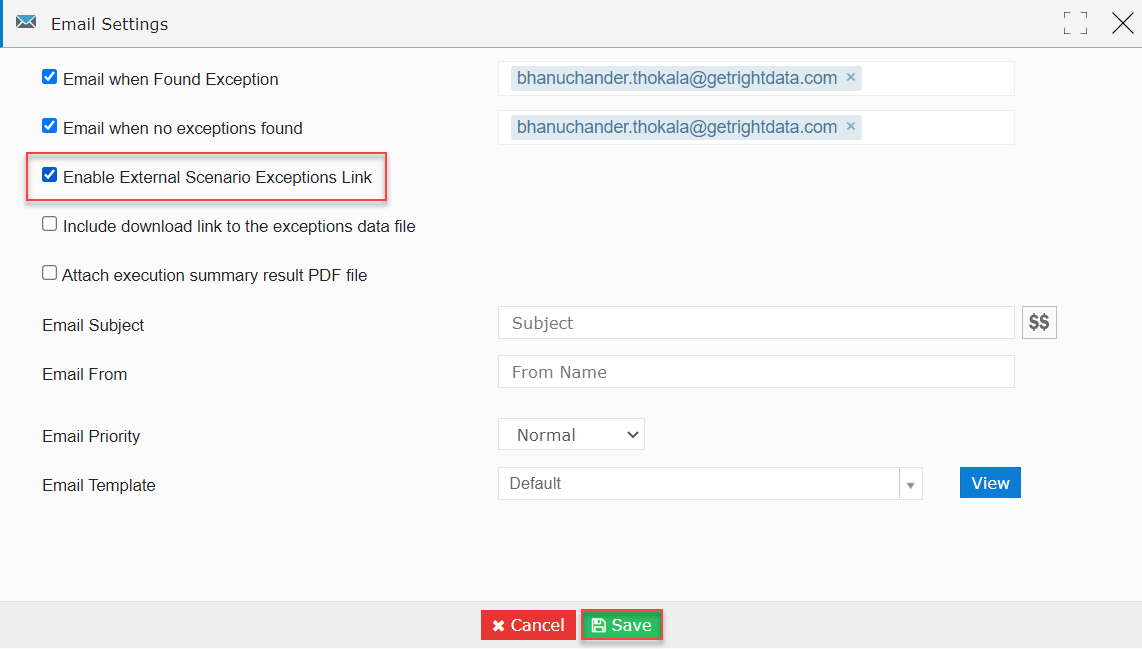
- Now, let’s select the checkbox ‘Enable External Scenario Exceptions Link’ option.
- Click the ‘Save’ button.
- The ‘Email Settings’ widget is closed saving the data.
- The user is navigated to the FDR Scenario session page.
- Click the ‘Execute Now’ button.
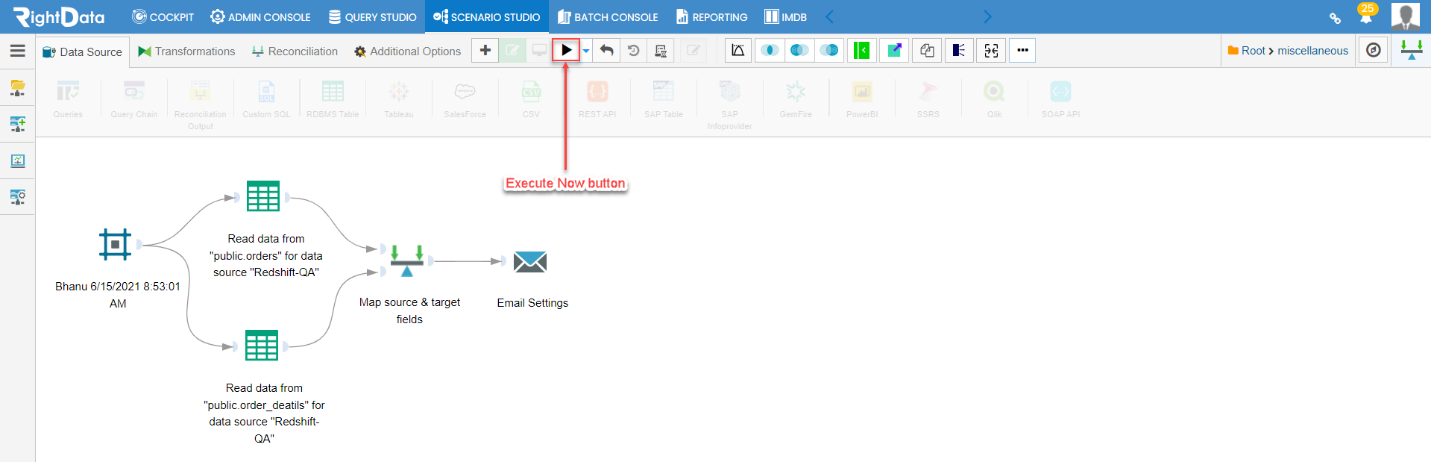
- A monitor mode is enabled.
- The FDR Scenario (bhanu 6/15/2021 8:53:01 AM) is executed with ‘Errored’ result status.
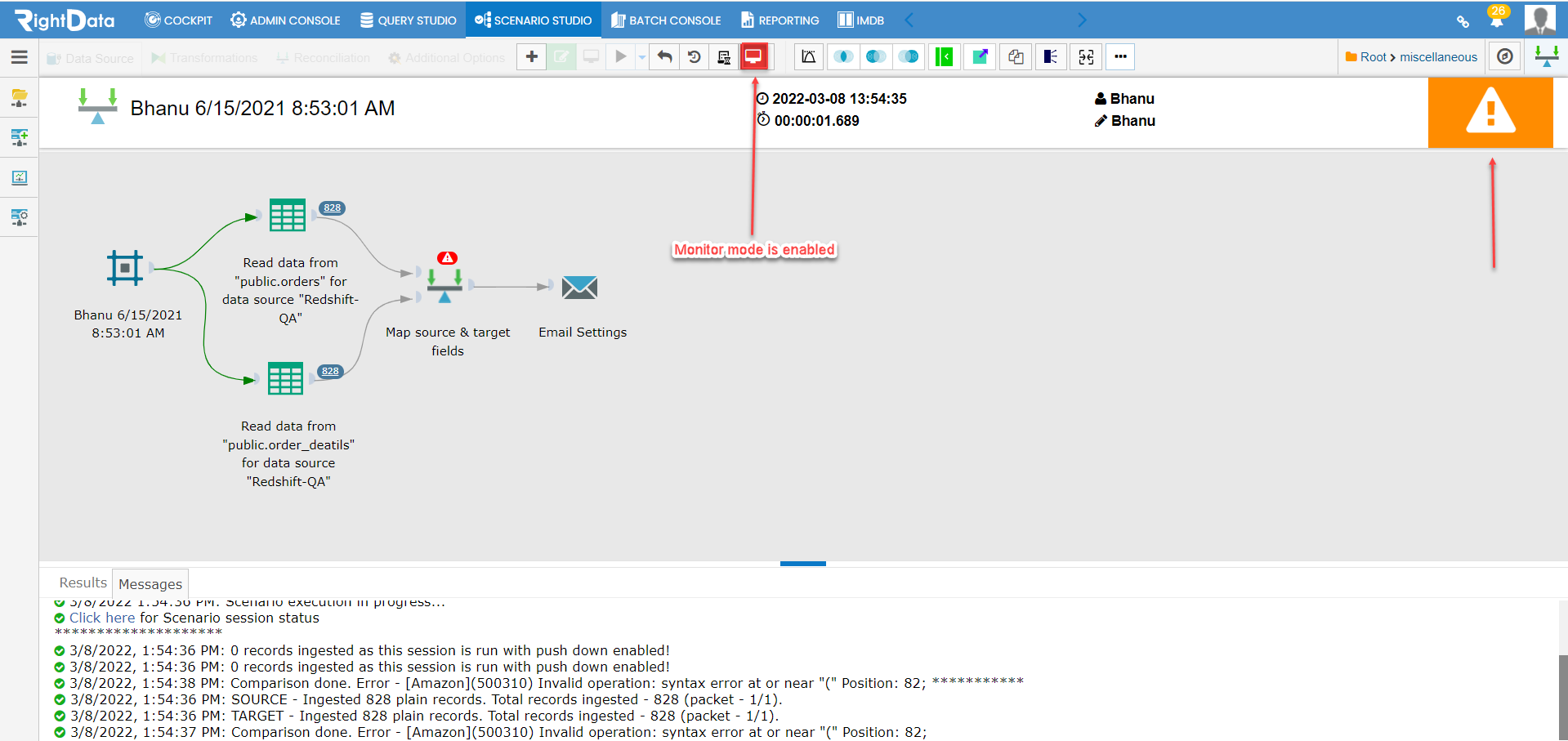
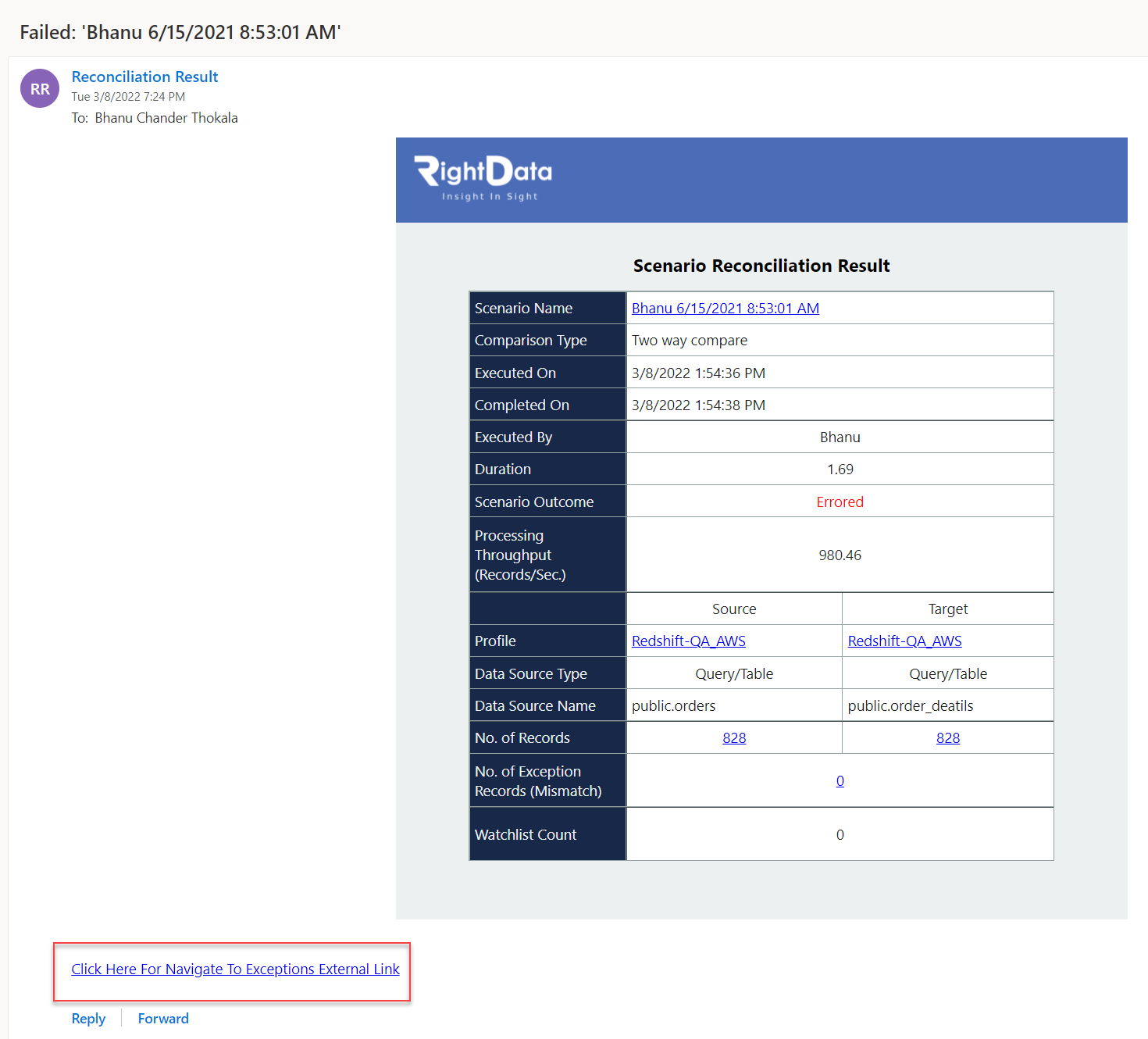
- The user receives ‘Scenario Reconciliation Result’ email with a link to external exceptions.
- Now, let’s click on the link ‘Click Here For Navigate To Exceptions External Link’ from the below screenshot.
- The user is navigated to the ‘Functional Data Reconciliation Exceptions External’ session page.