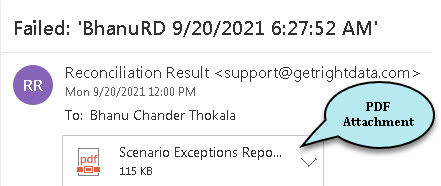
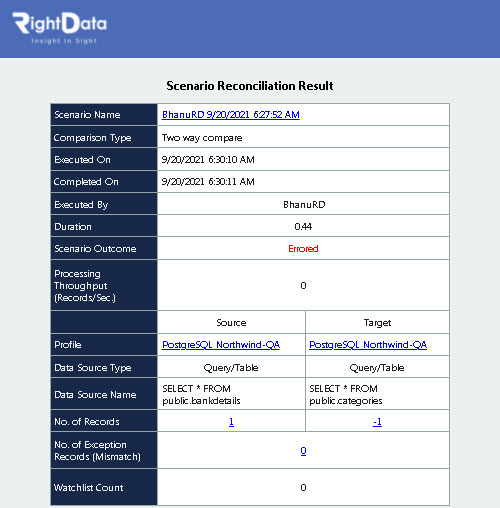
A new Enhancement is added that includes a PDF attachment which can be forwarded to a specified email, which contains the exception results of different FDR, TDR, Validation scenarios and Jobs. In order to use this feature, the user must check the box that contains “Generate PDF File and Include Attachment” in the “Email Settings” widget under “Additional options” tab.
To learn more, let us walk through the below procedure:
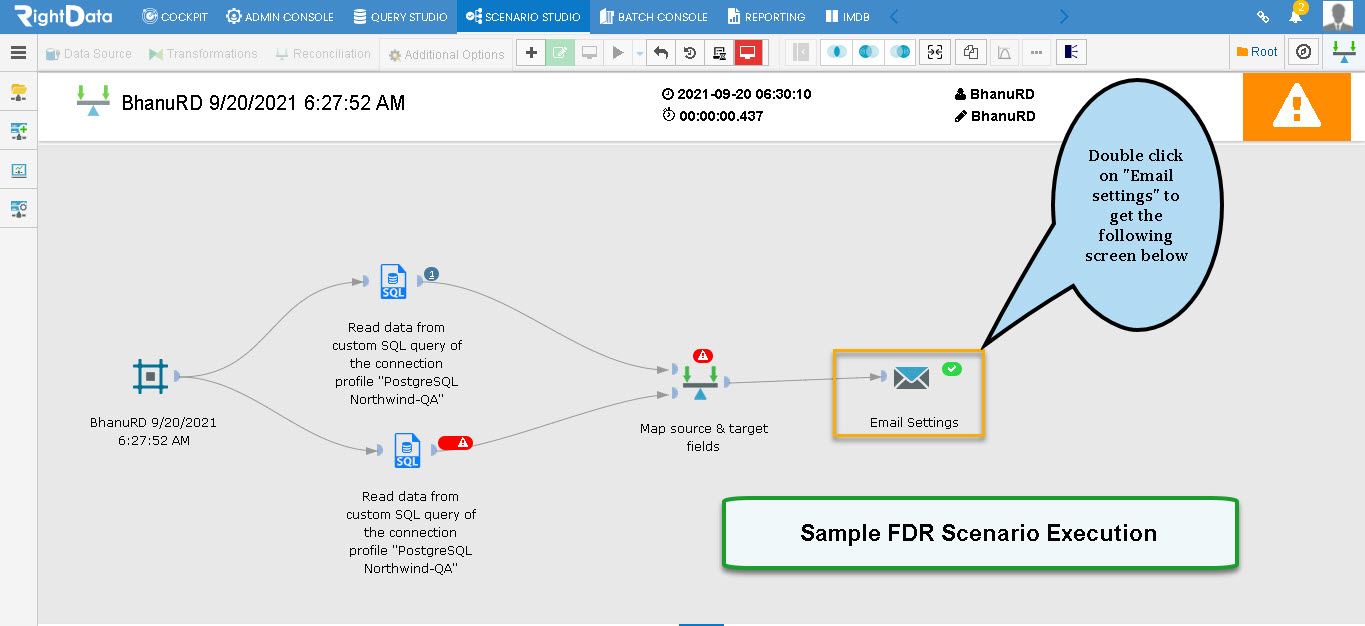
- Open a sample FDR execution scenario as shown here.
- Click the ‘Email Settings’ widget.
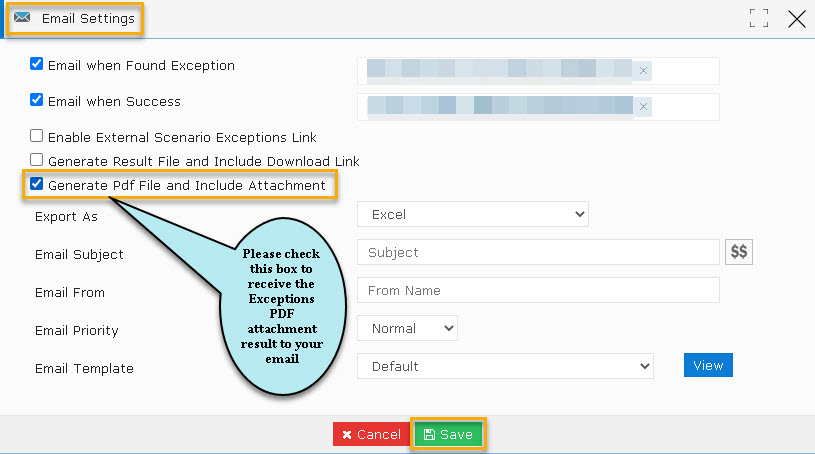
- An ‘Email Settings’ pop-up window is displayed.
- Ensure to check the box which contains ‘Generate PDF File and Include Attachment’ to receive the exception results to the specified email address.
- Click the ‘Save’ button to save this ‘Email Settings’ widget.
Note: The email is blurred due to confidential data.
- As the user performs the execution after saving the Email Settings widget, the exception results along with a PDF file will be sent to the specified email address as shown here.