A new profile ‘Apache Drill’ is added in the Query Chain within 2021.09 build. Users can now use this profile and perform required executions.
To learn more, let us walk through the below procedure:
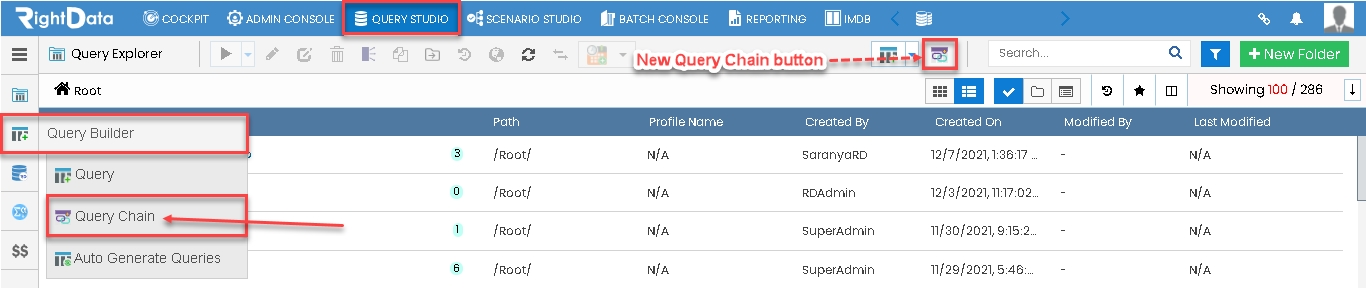
- Click the ‘QUERY STUDIO’ tab.
- Hover on the ‘Query Builder’ snippet from the left pane options.
- Click the ‘Query Chain’ option.
Note: Users can either click the ‘Query Chain’ option or ‘New Query Chain’ button to open a new Query Chain in create and edit mode.
Path01: QUERY STUDIO > Query Builder > Query Chain
Path 02: QUERY STUDIO > New Query Chain
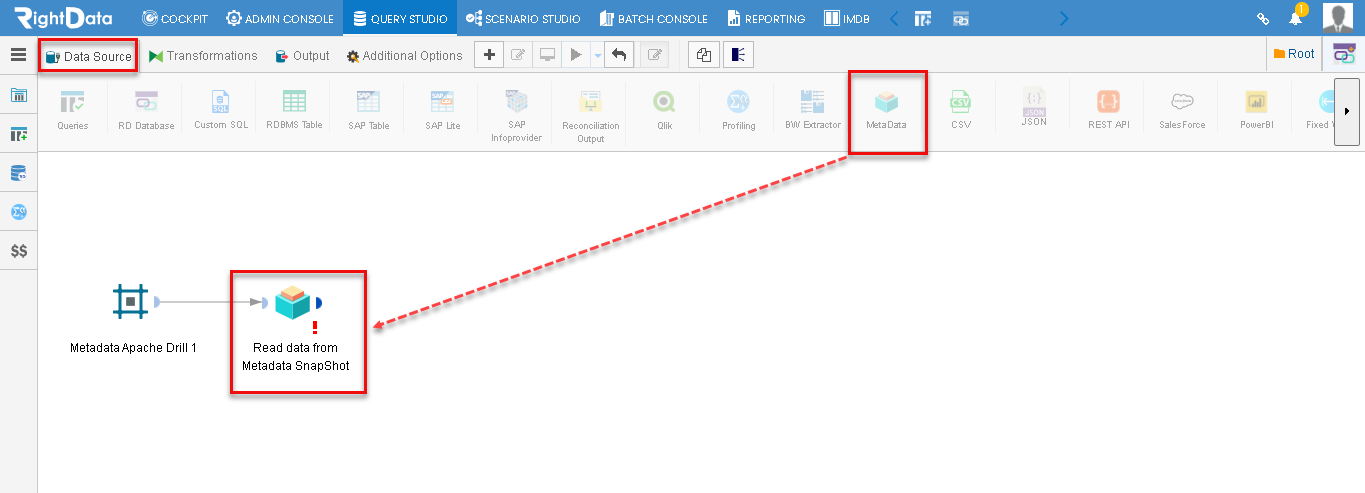
- The user is navigated to a new Query Chain session page.
- From the ‘Data Source’ tab, drag and drop the ‘MetaData’ icon onto ‘Query Chain’ session page in create and edit mode.
Note: All the Data Source icons including the Metadata gets disabled as the user drags it onto ‘Query Chain’ session page in create and edit mode.
- Click the ‘Metadata’ widget.
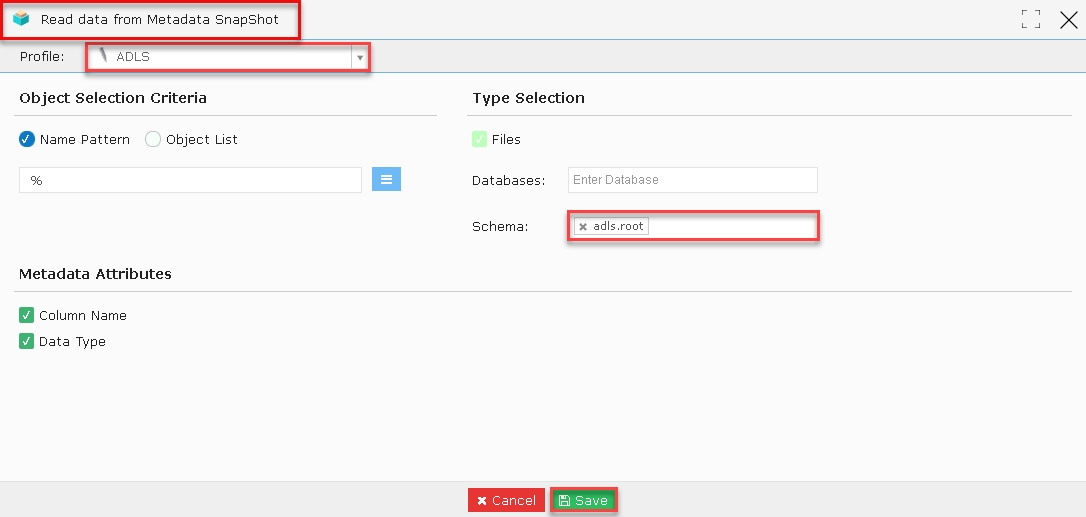
- A ‘Read data from Metadata’s snapshot’ pop-up window is displayed.
- Select the ADLS (Apache Drill profile) option from the Profile drop-down list.
- Let’s add Schema ‘adls.root’.
- Click the ‘Save’ button.
- The ‘Metadata’ widget is closed saving its data.
- The user is navigated to the Query Chain session page in create and edit mode.
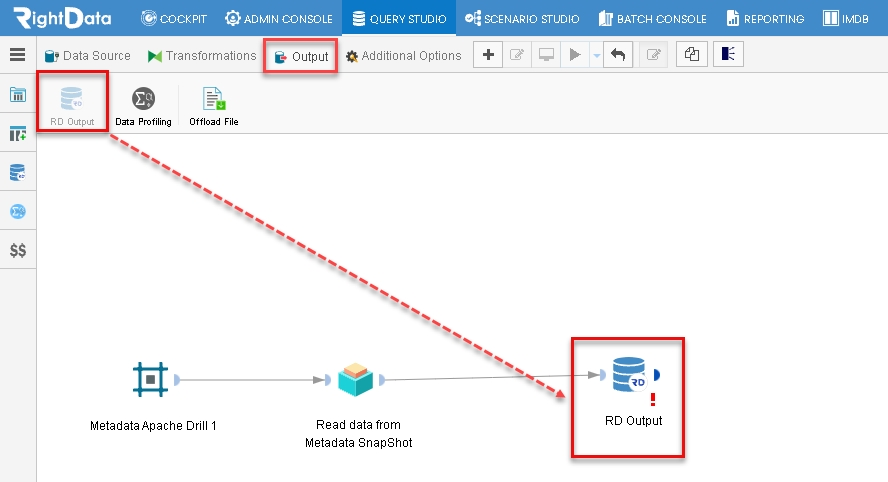
- From the Output tab, drag and drop the ‘RD Output’ icon.
Note: As soon as the user drags and drops an ‘RD Output’ icon, it gets disabled on the icon’s list.
- Click the ‘RD Output’ widget.
- An ‘RD Output’ pop-up window is displayed.
- Click the ‘Select’ button to confirm the RD Output data as shown here.
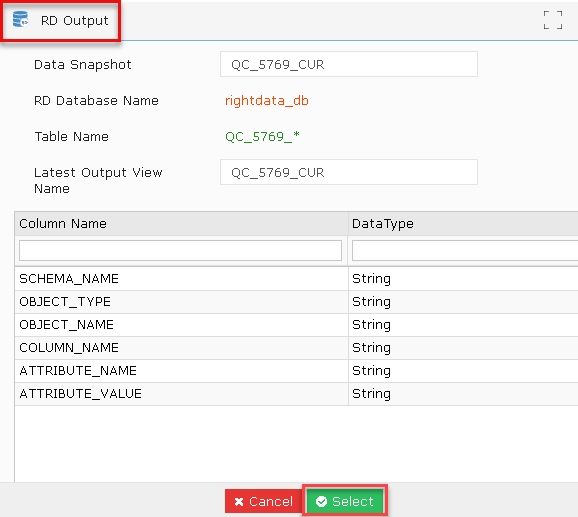
- The ‘RD Output’ widget is closed saving the data.
- The user is navigated to the Query Chain in create and edit mode.
- Click the ‘Execute Now’ button.
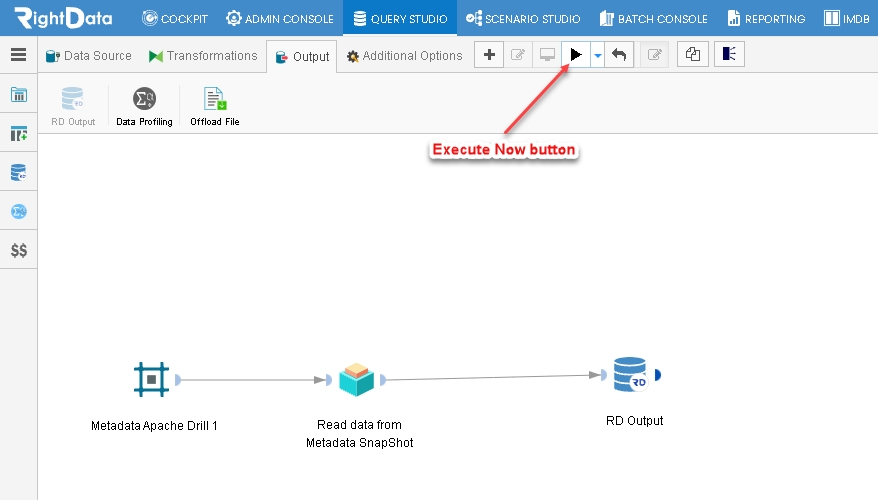
- A ‘Monitor’ mode is enabled immediately after successful execution.
- Click on the RD Output widget’s count.
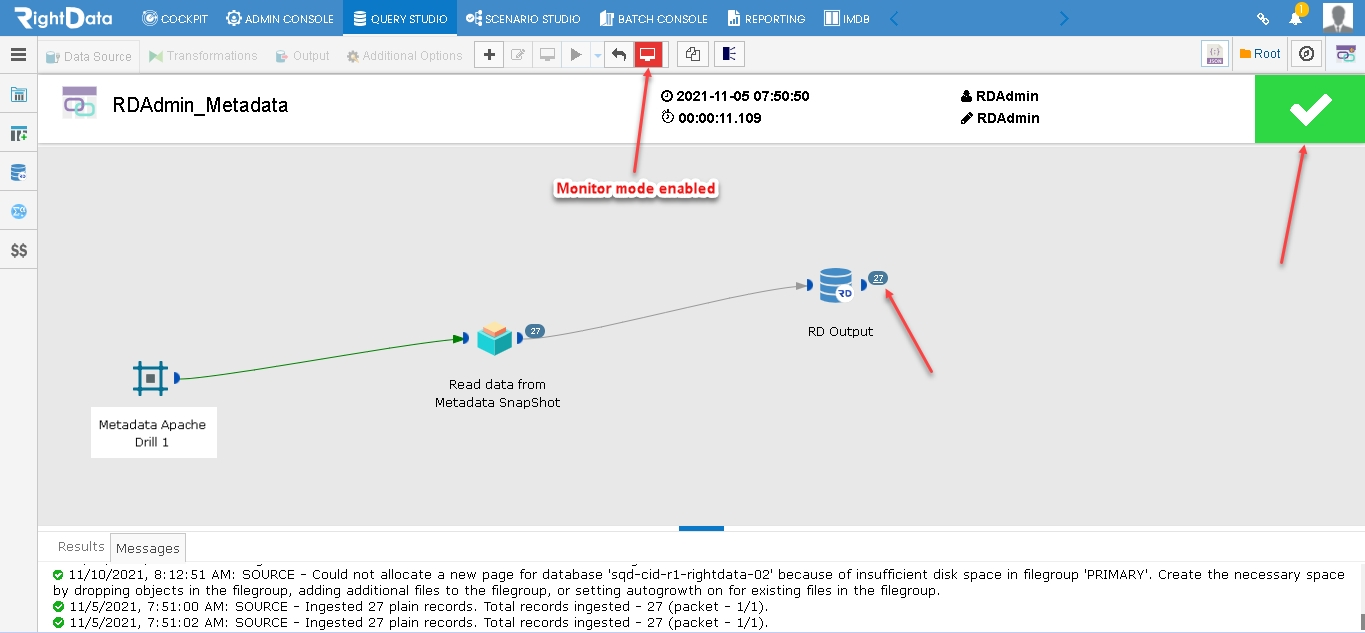
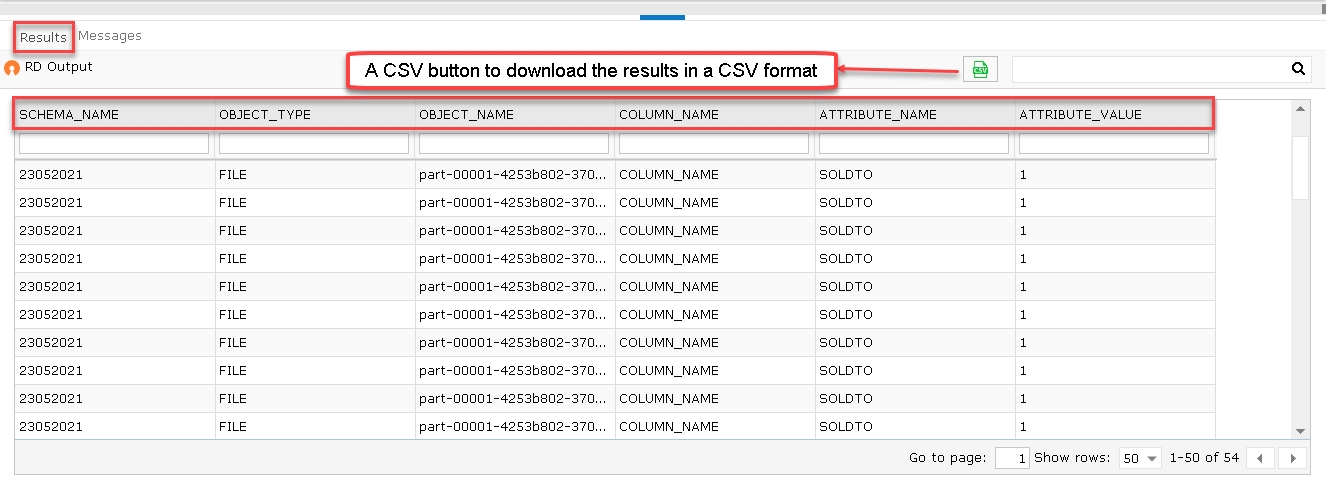
- The user is navigated to the ‘Results’ tab and contains a tabular grid with columns as shown here:
- SCHEMA_NAME
- OBJECT_TYPE
- OBJECT_NAME
- COLUMN_NAME
- ATTRIBUTE_NAME
- ATTRIBUTE_VALUE
- A ‘CSV’ button to download the result in a CSV format is displayed at the top right side.