Users can now add or override any JDBC connection type profile’s ‘Source Connection String’ and execute it outside the console with runtime parameters using an ARC (Advanced Rest Client) or any third-party postman services. For this purpose, users need to have the specified scenario URL and its respective JSON parameters.
Note: This enhancement only works with JDBC connection type profiles and is currently used with all scenario types
To learn more, let us walk through the below procedure:
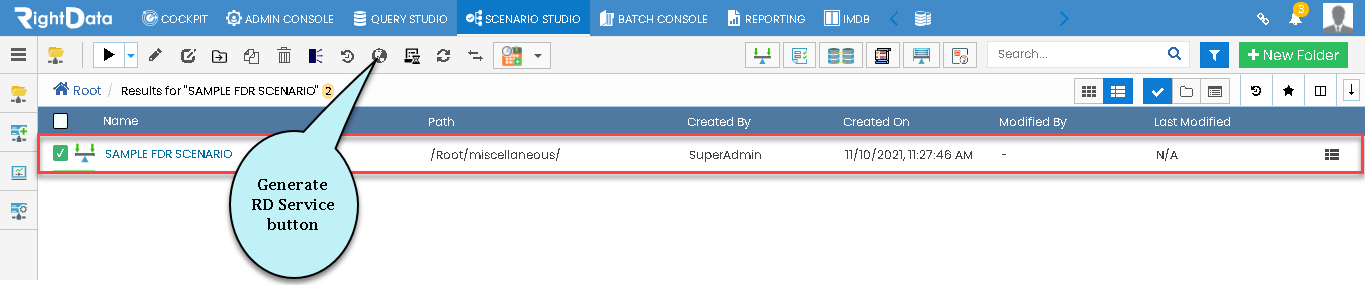
- Click the ‘SCENARIO STUDIO’ tab.
- Select any used ‘FDR scenario’ checkbox.
- Let us consider ‘SAMPLE FDR SCENARIO’ as an example here.
Note: Click here to go through the steps involved in creating an FDR (Functional Data Reconciliation).
- Select the ‘SAMPLE FDR SCENARIO’.

- Select the Scenario name checkbox (SAMPLE FDR SCENARIO).
- Click the ‘Generate RD Service’ button.
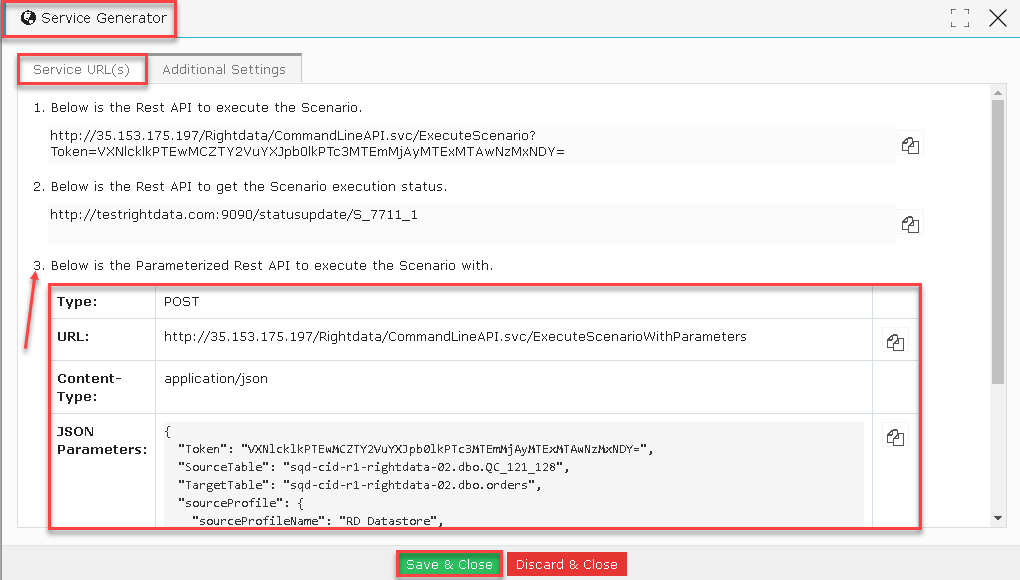
- A ‘Service Generator’ pop-up window is displayed.
- By default, the Service URL(S) tab is selected.
- From the Service URL(S) tab, consider the below parameters from point 3 in the below screenshot:
- Type
- URL
- Content Type
- JSON Parameters
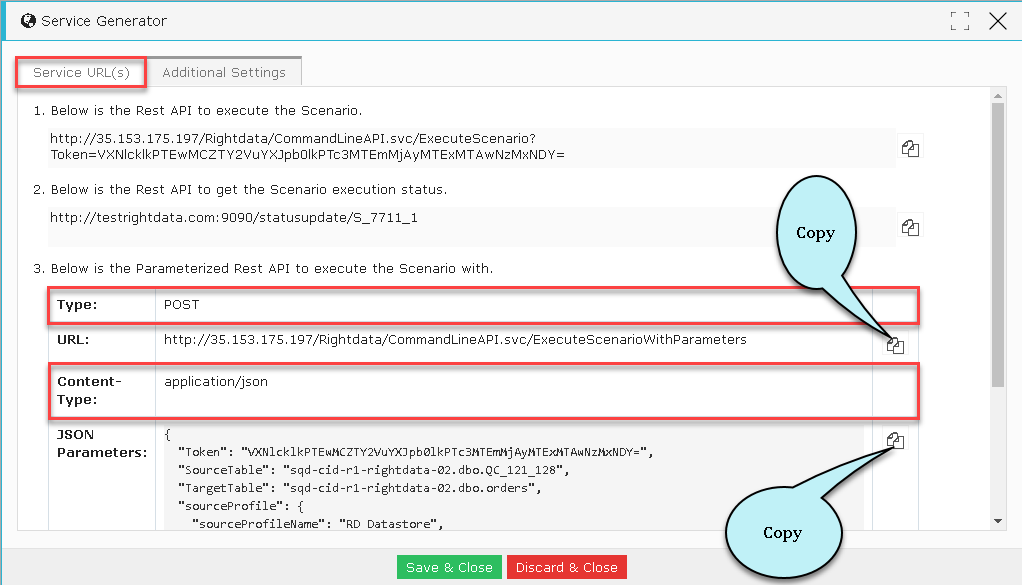
- From the Service URL(S) third point, consider and copy Type, URL, Content Type, and JSON Parameters and paste these values in an ARC (Advanced Rest Client).
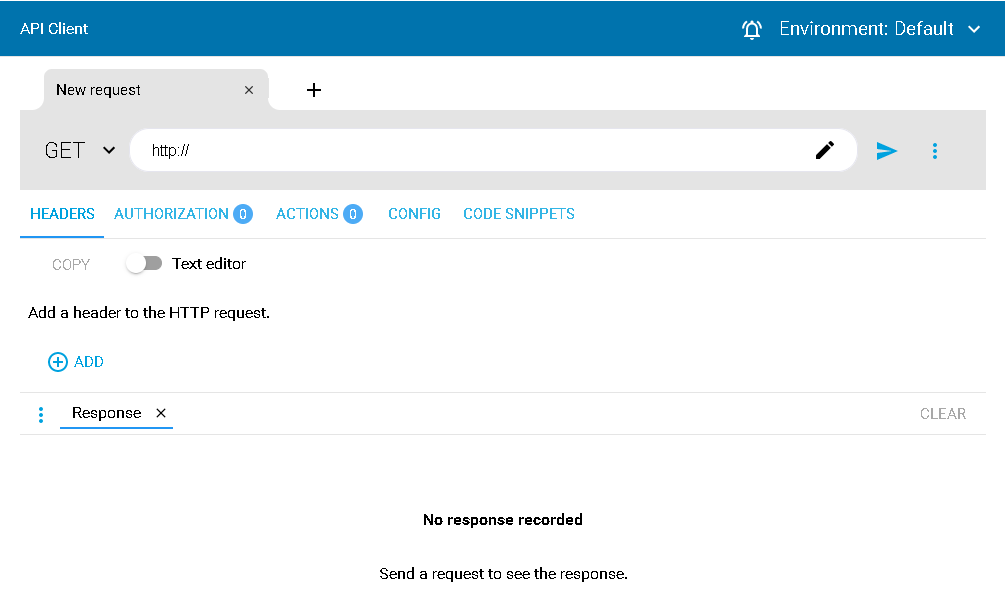
- Open an ARC (Advanced Rest Client).
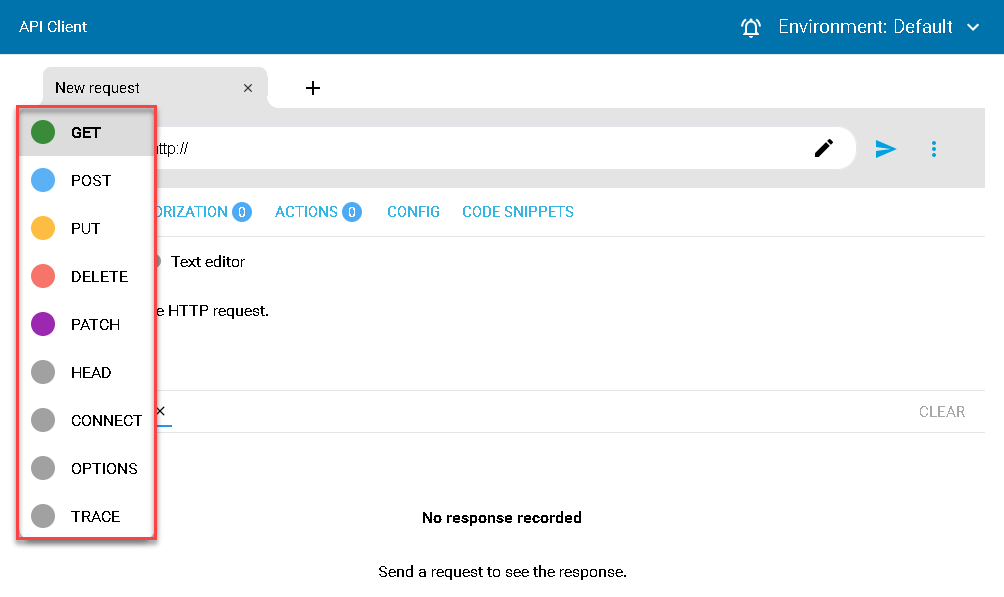
- The user can request an API using different methods like GET, POST, PUT, DELETE, PATCH, HEAD, CONNECT, OPTIONS TRACE.
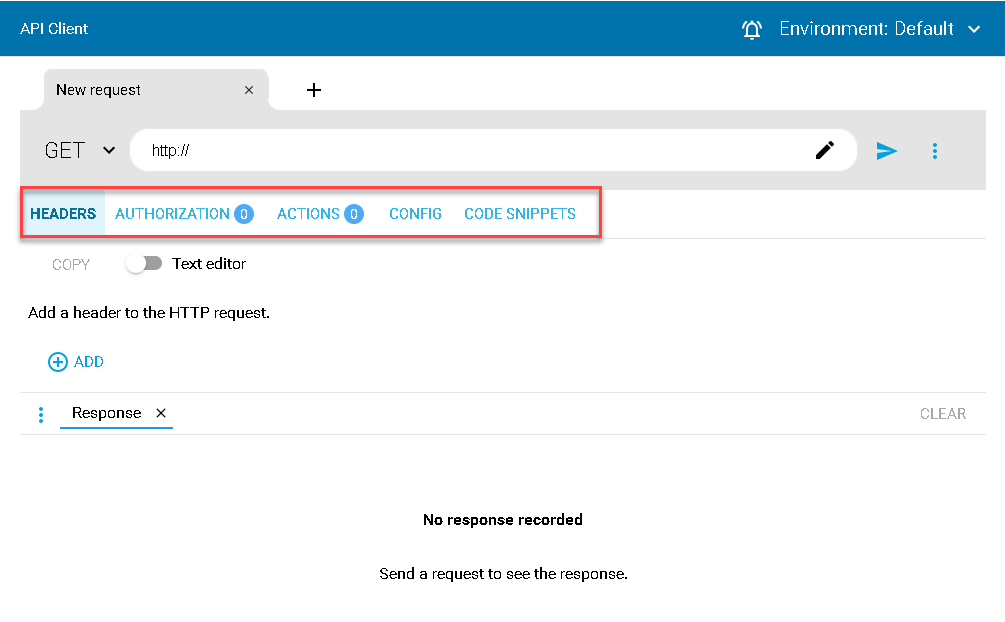
- An ARC has different tabs such as HEADERS, AUTHORIZATION, ACTIONS, CONFIG, and CODE SNIPPETS.
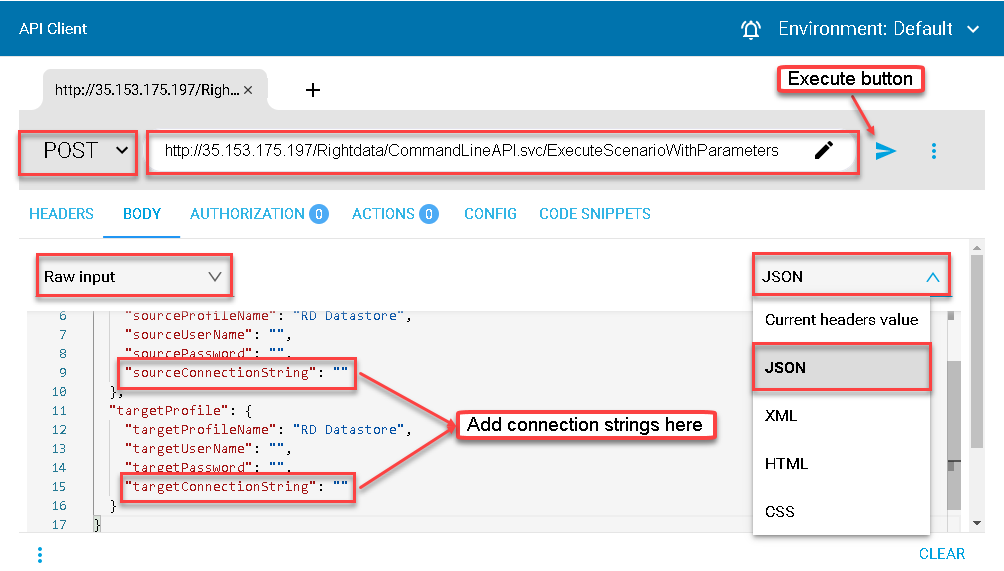
- Now, select the ‘POST’ method from the drop-down list in ARC.
- Paste the copied URL from Service Generator pop-up window and paste it in the below ARC.
- Select copied ‘JSON Parameters’ and paste it in the ‘BODY’ tab within the below ARC.
- Select ‘Raw’ input and ‘JSON’ from the drop-down lists within an ARC ‘BODY’ tab.
- Within the ARC ‘BODY’, the user can select the desired profile (source or target) and add connection string/strings as per the requirement, and execute them in real-time scenarios.