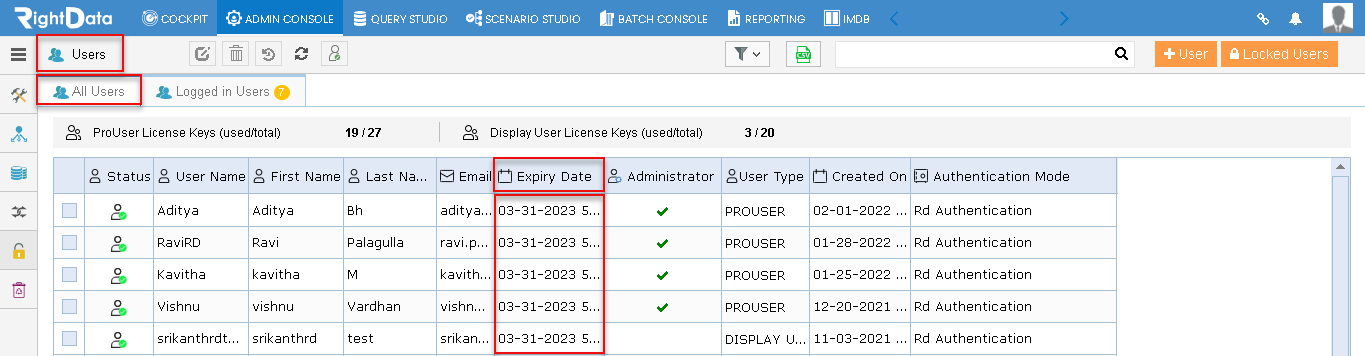
A new Expiry Date column was added to the Users page tabular grid. As an Admin, you can now access the details related to all User’s server Expiry Dates. Simultaneously, the session loading performance is also increased.
To learn more, let us walk through the below procedure:
- Click the ‘ADMIN CONSOLE’ tab.
- Hover on the ‘Security’ snippet from the left pane options.
- Click the ‘Users’ option.
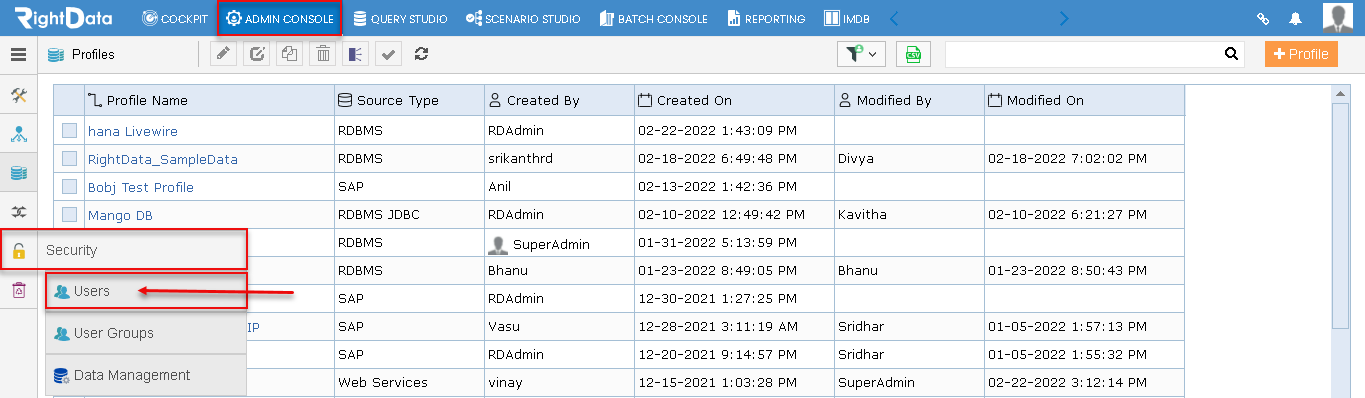
- The user is navigated to the ‘Users’ session page.
Note: By default, the ‘All Users’ tab is displayed.
- A new ‘Expiry Date’ column is added in the tabular grid for every user. (Pro and Display)