This document explains the process to ingest data from Rest API using the pagination approach.
Note: For this to work, the selected Rest API should be configured to generate the data using the pagination model.
In this method, the user gets a parameter to be passed. To use pagination in an API follow these steps:
- Go to Query Studio.
- Complete the query settings.
- Select the API Widget.
- Select ‘GET ‘method and response type.
- Input the API URL. (It contains the parameters to be passed).
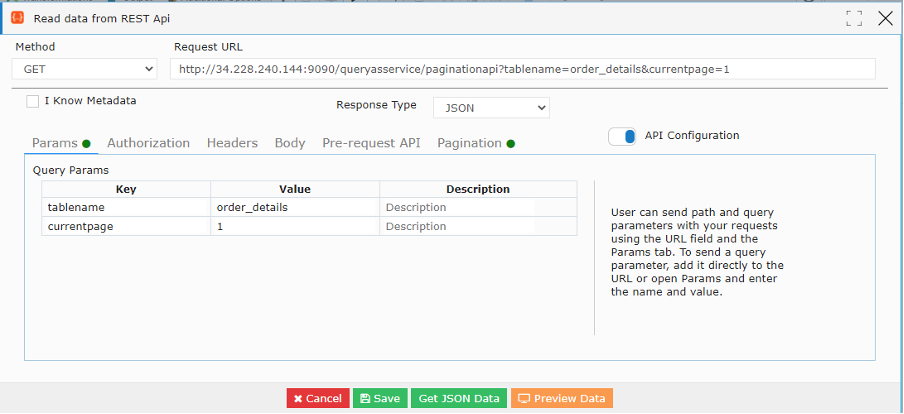
In the above example, "tablename" and "currentpage" (the parameter to refer to the page from which the user should start)are the parameters to be passed.
- Click on Pagination and the following screen will appear.
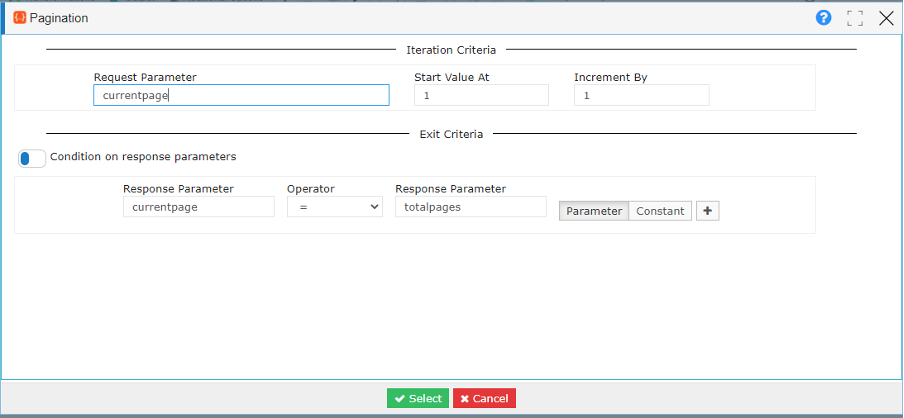
In the above example
- The request parameter is the parameter that is passed(in this case currentpage)
- Start Value is the value of page from where you want to start reading the data.
- Increment By is the value by which you want to increase the count. In this case it is ‘1’ as we want to read through all pages. If you want to skip pages then you can set the’ Increment By’ value accordingly.
You can then select one of the following condition criteria for the exit condition.
Condition with Response Parameter
- Then set the condition on the response parameters. In this example, we have set the condition that the execution will continue till the value of the current page equals ( we have a list of operators here to choose from) the value of totalpages ( totalpages is the parameter implying the total number of pages in the data)
Condition with Response Value
- You can even set the condition by giving some constant value.
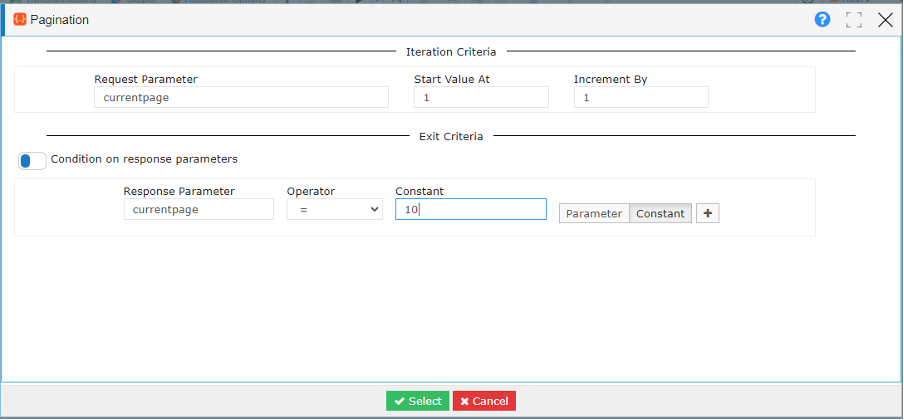
Condition with Iteration
- In this case, we set the number of iterations for which we want it to run.
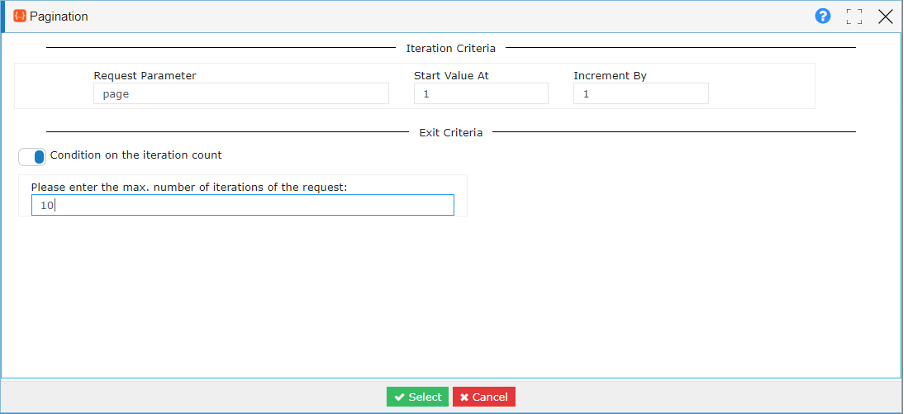
In this example
- The request parameter is currentpage.
- The start value is 1.
- The Increment By value is 1
- The number of pages for which it will run is 10.
- Click on Select.
- Click on ‘Get JSON Data’. The following screen will appear.
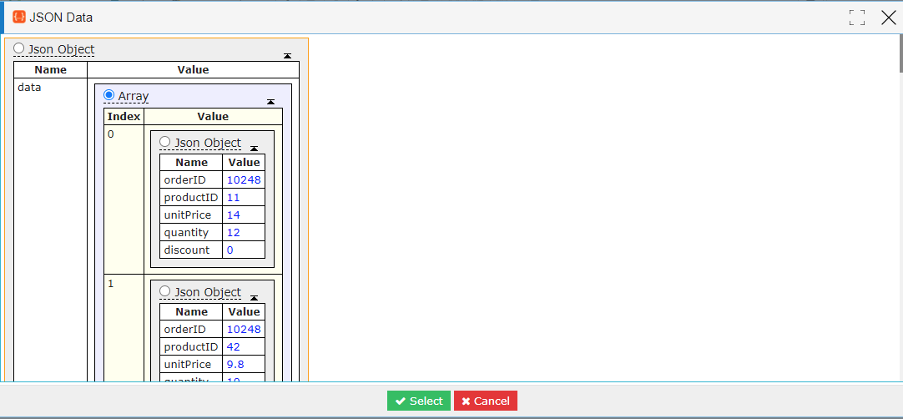
- Click on Select.
- Click on Save
- Click on preview data to preview the data.