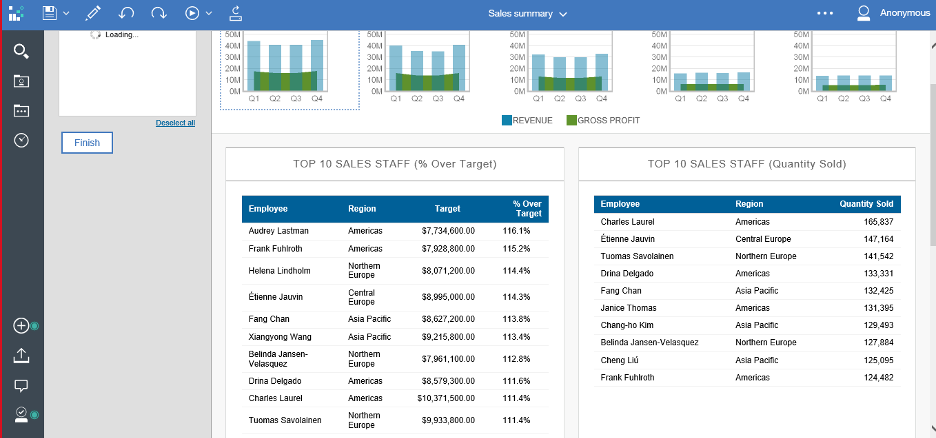
1. Considering the “Sales Summary” sample report in Cognos Server.
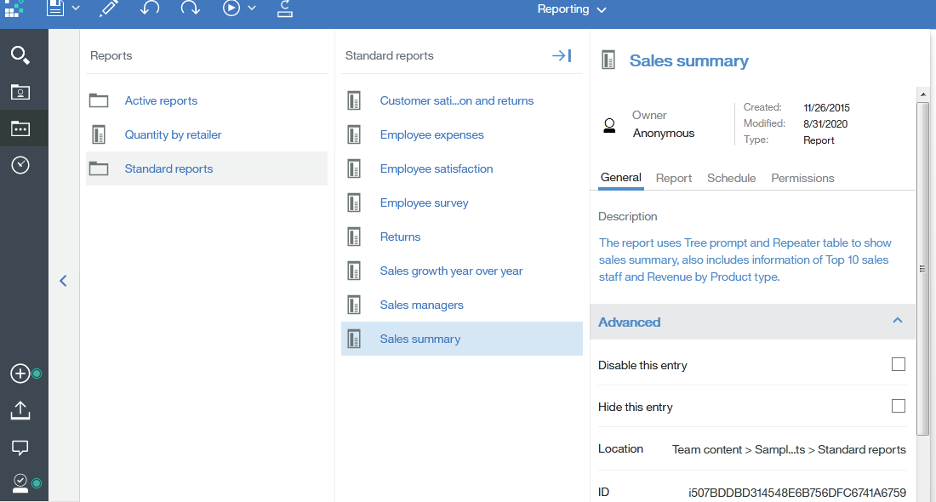
2. Navigate to the folder in which the report resides, Click on Properties->Advanced -> ID seen here is the report ID to be passed in the Rest API.
3. In RightData, create a Query Chain by taking RestAPI as a “Data Source”. Request URL (report ID is to be passed after the report parameter), also Parameter fmt = DataSetJSON to be given in Query Params.

4. Click on “GET JSON Data” to get report data in JSON format. After getting the data, select the object (Array) for which data is to be retrieved. For example, data for “Top 10 SALES STAFF (% over Target) “ is to be retrieved, so the selected Array object of the list is shown below.
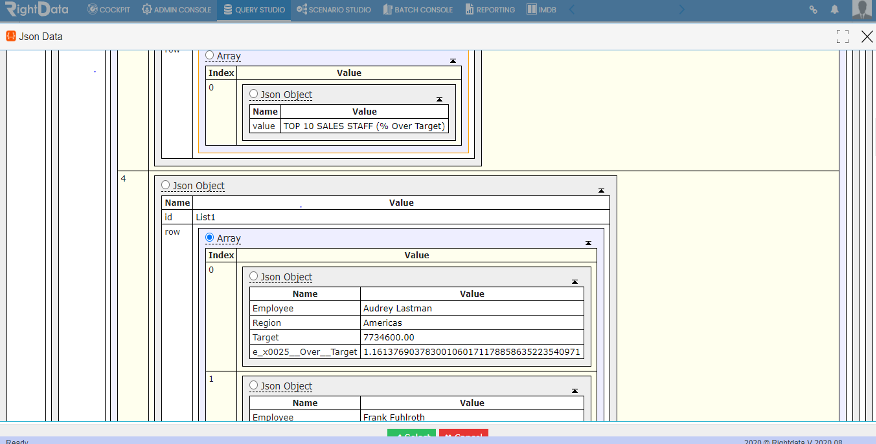
5. Click on “Select”. All the columns of the report are shown.
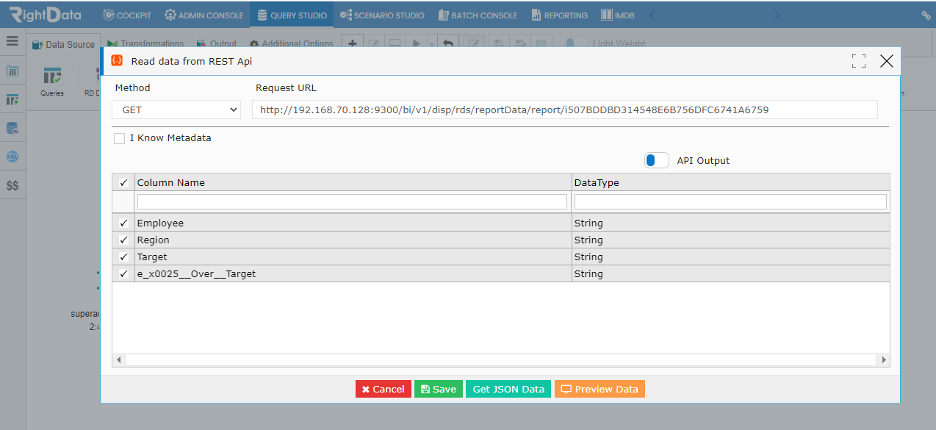
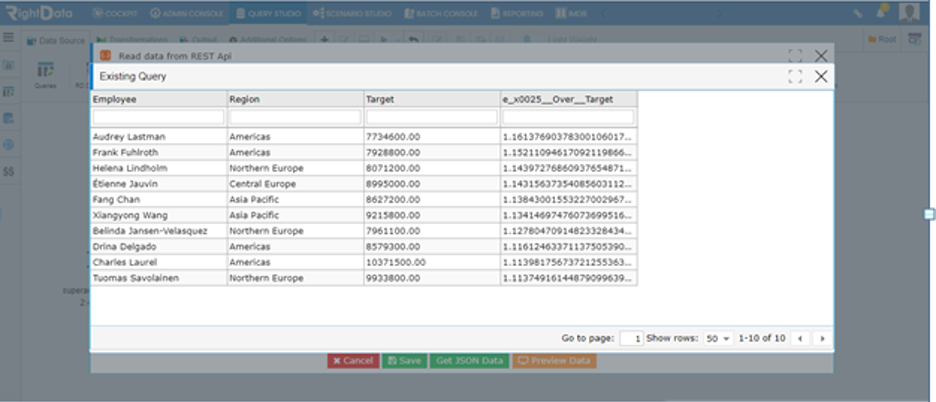
6. Click on “Preview Data” to see the first 100 records of the report.
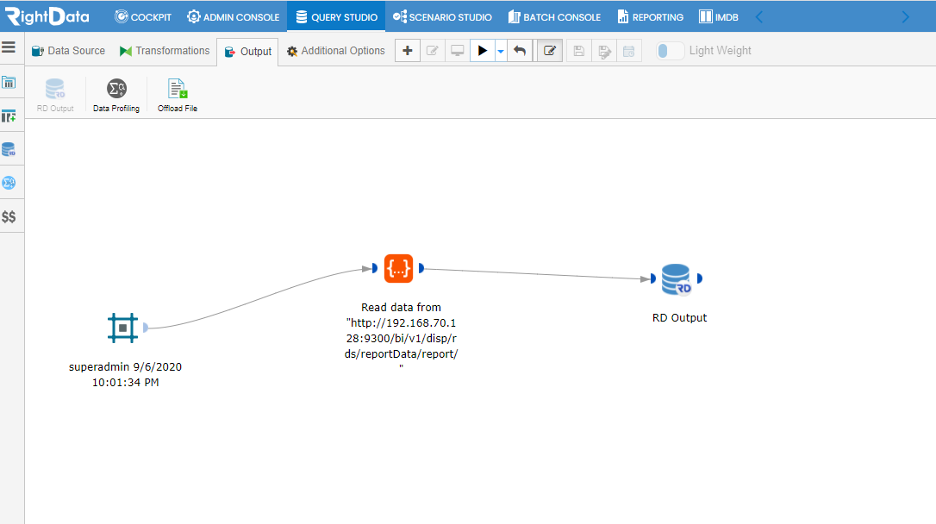
7. Click on “Save” and drag an “RD Output” widget.
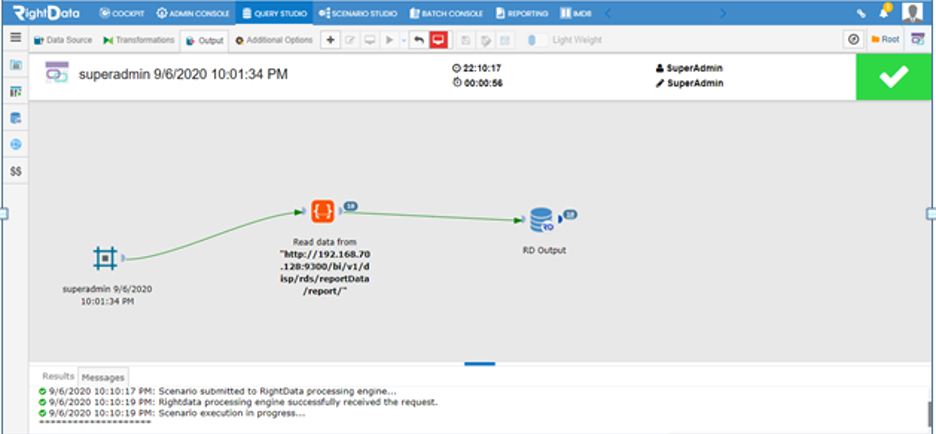
8. Click on “Select” and Execute the Query Chain by clicking the execute button.
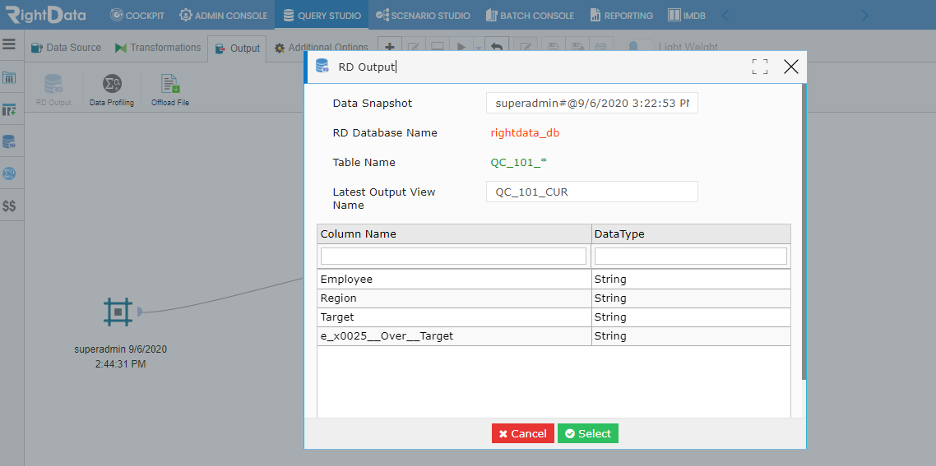
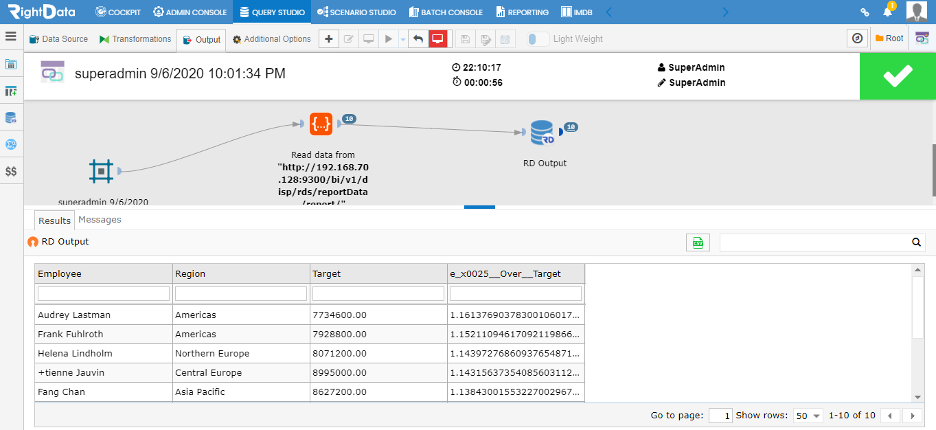
9. Query Chain executed successfully. To see the output of the executed Query Chain, click on the count displayed on “RD Output” widget.
10. The output of the Query Chain can be seen here.